

Punch from a phone
Staff punch in and out from their own device, so attendance does not depend on a terminal in one office.
Staff punch in and out from their phone with geofence and liveness checks, see their own record, and raise a correction when a punch is wrong. Managers get the team roster, shift scheduling, per-branch public holidays, and correction approvals.
A quick map before the detailed product proof. Jump to the area that matters most.
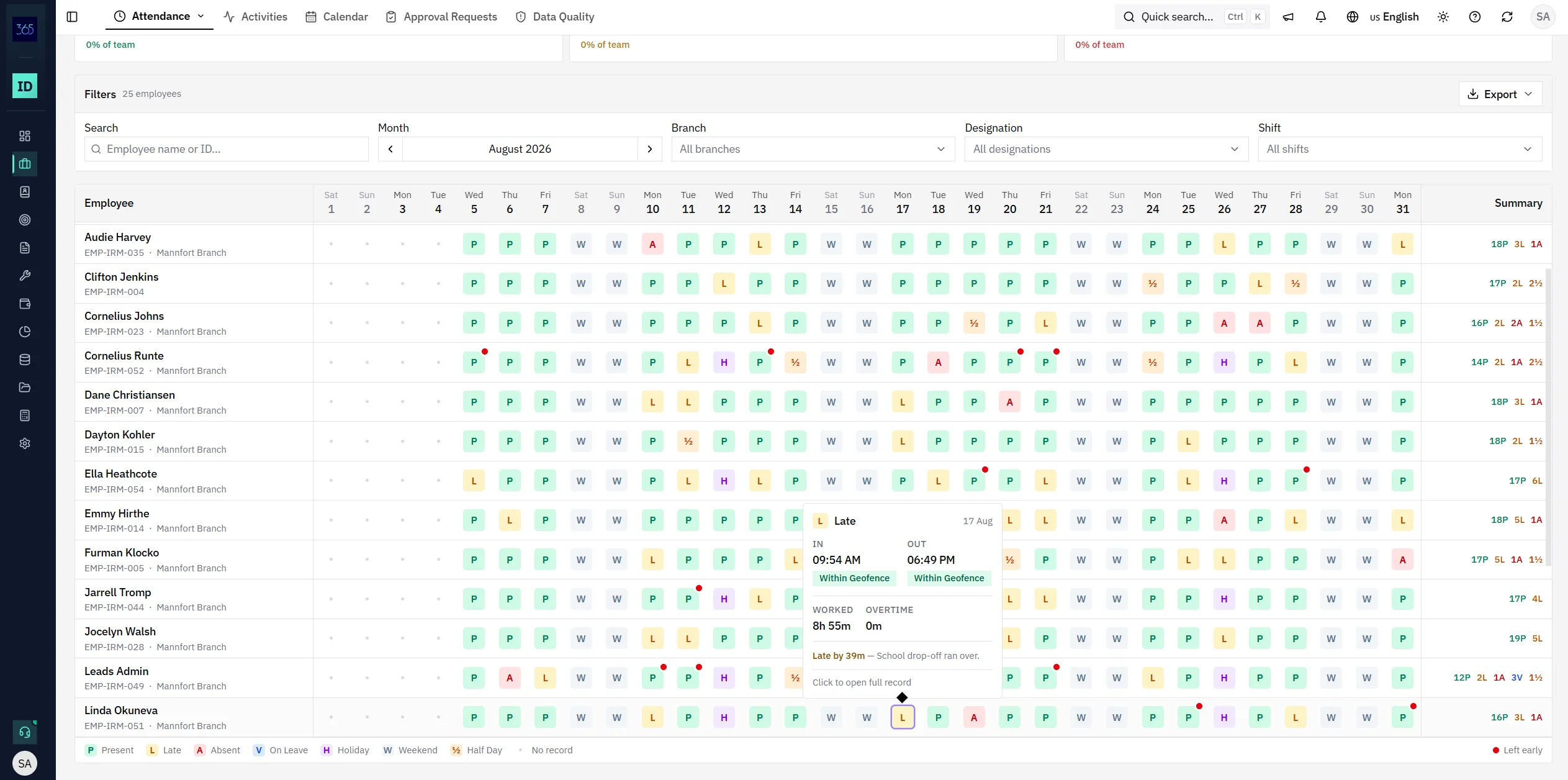
Present, late, absent, on leave, holiday, weekend, and half-day codes across every day of the month, filtered by branch, designation, shift, or month and exportable — with a per-employee summary on the right.
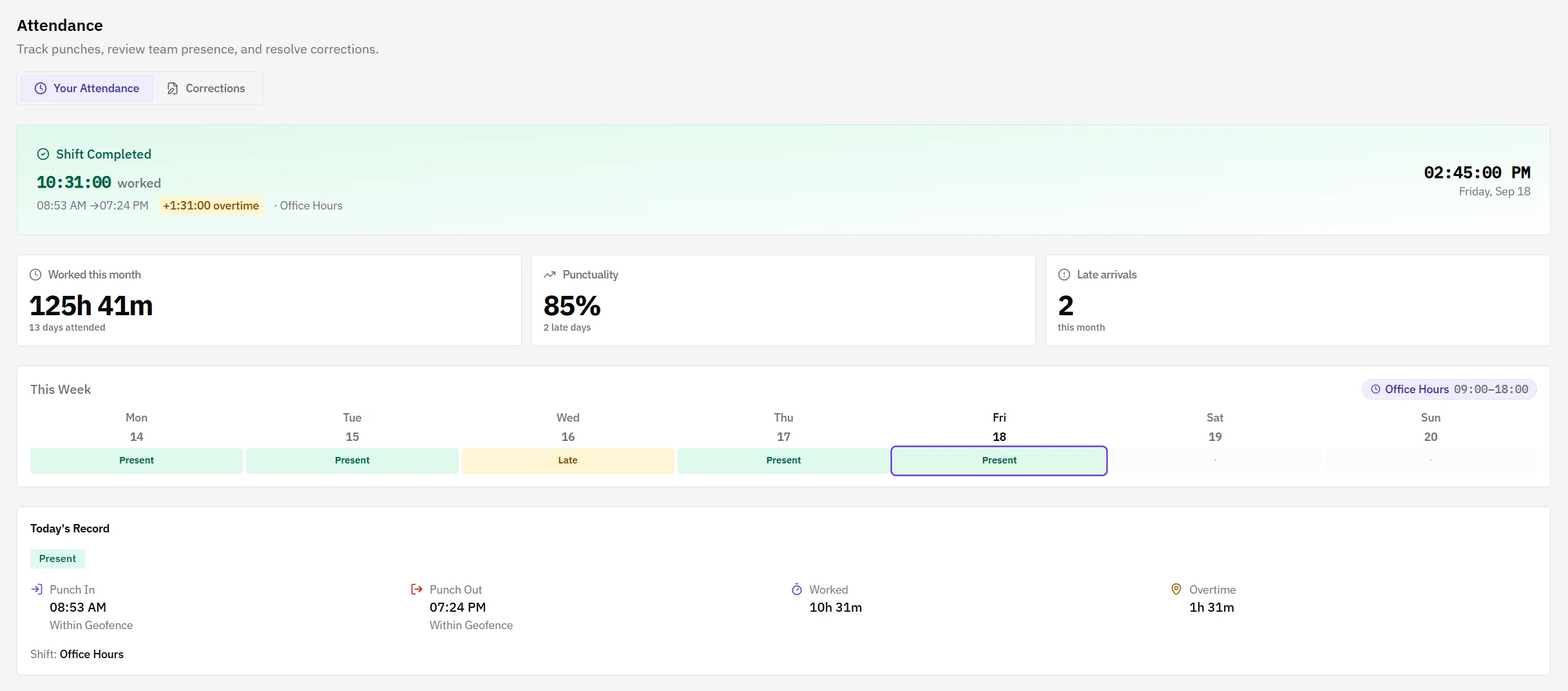
Staff see their own day as it happens — punch in and punch out times, whether each was inside the geofence, hours worked, overtime against the assigned shift, and the week so far. Their own record stays visible for the last 30 days without asking a manager for it.
Managers open a month grid with a row per employee and a code per day, filtered by branch, designation, shift, or month and exportable. Opening a day shows the punch times, whether they were inside the geofence, hours worked, overtime, and any reason recorded for a late arrival.
Late by 39m — the reason recorded at the time stays on the day.
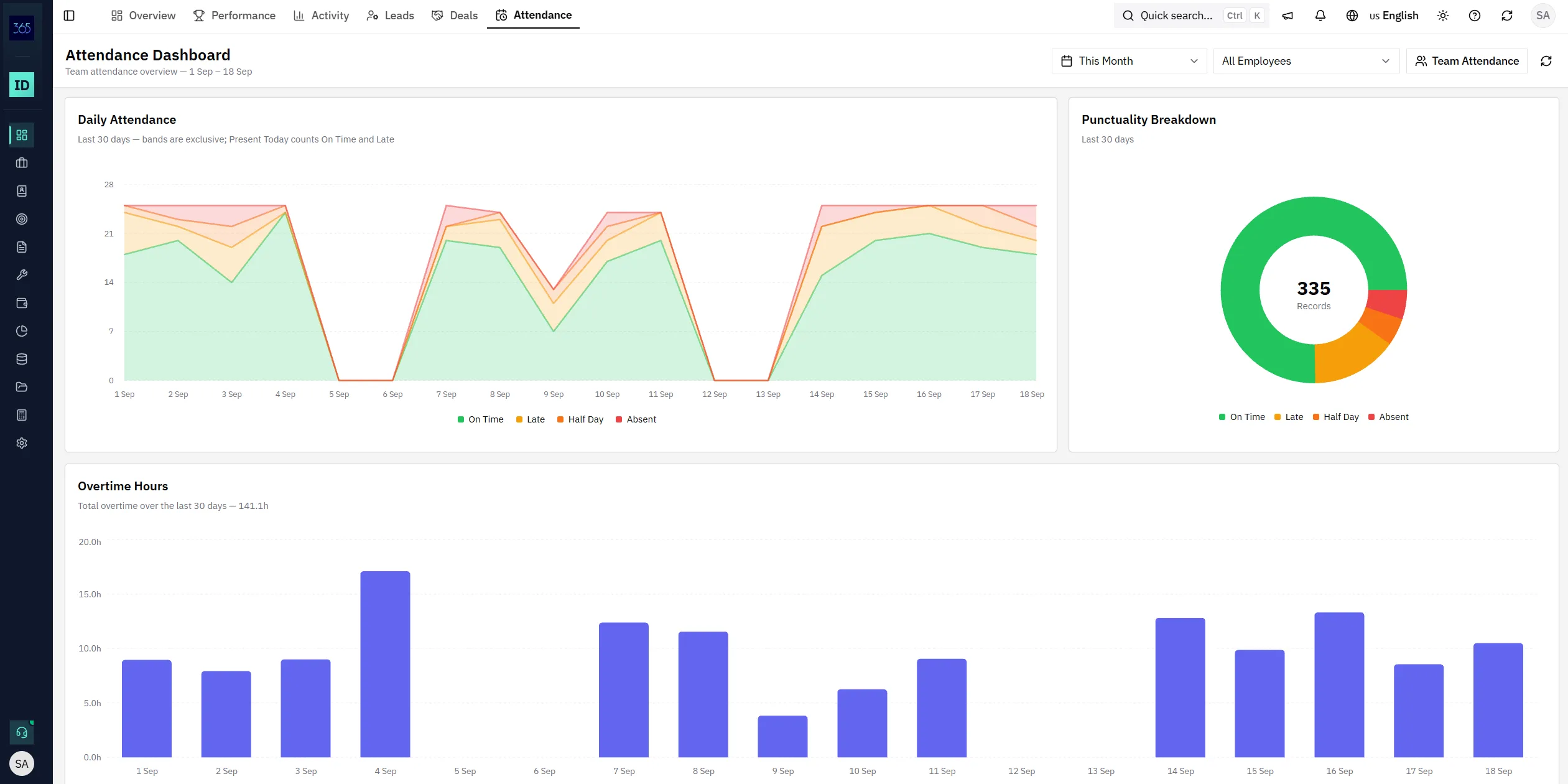
The attendance dashboard shows today at a glance, a daily trend across the period you choose, a punctuality breakdown of on time, late, half day, and absent, and total overtime. Managers see their team; anyone with an attendance record sees themselves.
Punches, shifts, holidays, and corrections sit alongside the employee record the rest of IRM365 already uses for hierarchy, assignment, and performance.
Staff punch in and out from their own device, so attendance does not depend on a terminal in one office.
Each punch records whether it was inside the geofence, with liveness checks available to managers.
When a punch is wrong, staff raise a correction and a manager approves it — the record is not edited silently.
A month grid per employee with present, late, absent, leave, holiday, weekend, and half-day codes plus a summary.
Schedule shifts and set a working week per branch, so a non-working day is never counted as absent.
Apply a holiday to every branch or to one, and keep it out of the absence count automatically.
IRM365 modules are connected. Explore the next capabilities that usually sit beside this feature in a real brokerage workflow.
Join UAE real estate teams who run their entire business — leads, deals, contracts, and finance — from one platform. No annual contract.