
Lead summaries
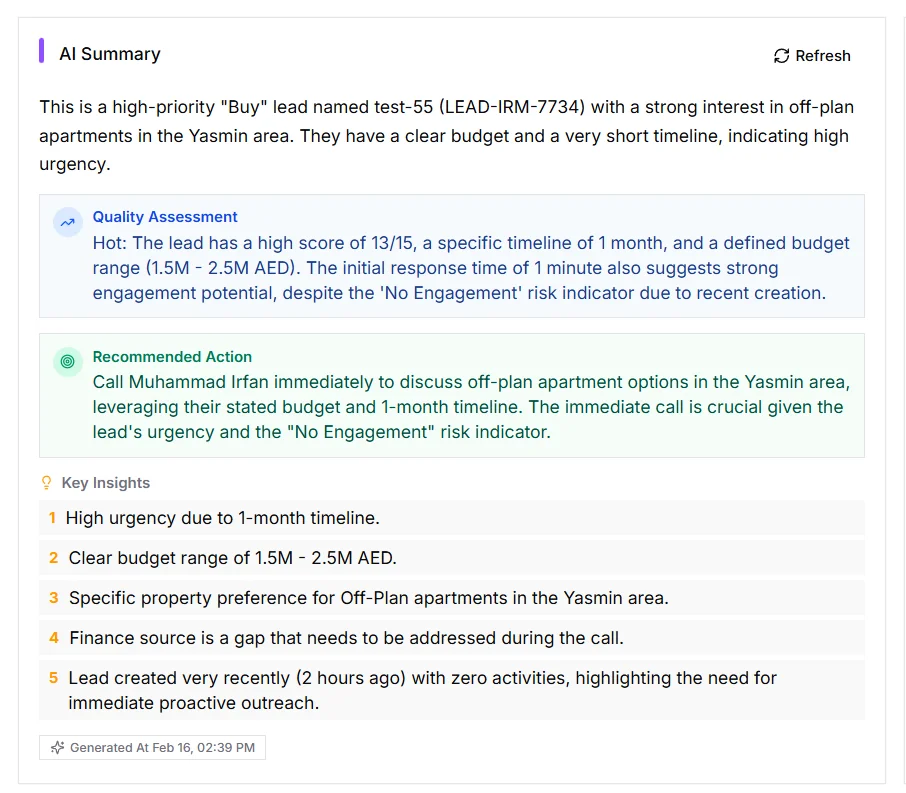
AI lead summaries generate a concise rundown from profile, preferences, activities, opportunities, notes, and score history.
IRM365 is the AI real estate CRM with opt-in, review-first helpers for lead context and activity quality. Generate concise lead summaries, draft follow-up emails, and use Ask Vox to identify what a rough activity note is missing before choosing whether to accept, edit, or ignore a suggested rewrite.
A quick map before the detailed product proof. Jump to the area that matters most.
AI reads the lead profile, preferences, activity timeline, linked opportunities, and score history to produce a quick summary — while agents still verify the actual record before sending or acting.
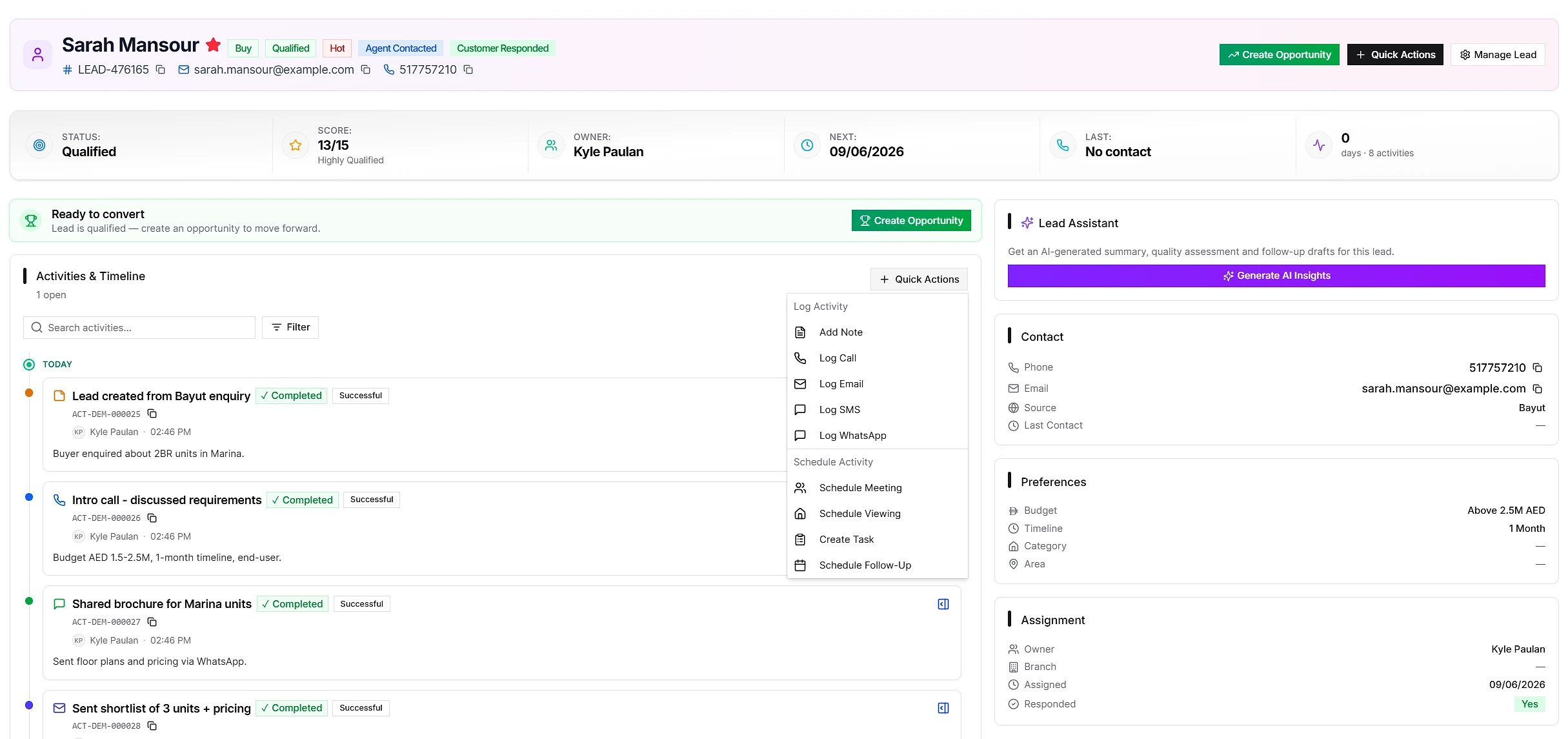
Ask Vox reviews the note before it is saved, points out what a manager may still need, and offers tighter wording. If the wording is ambiguous, it asks up to three short clarification questions first. Nothing is preselected, the original stays editable, and every suggestion remains optional.
“Called client, interested, will send details.”
Call · client interested. Next step: send the requested details and set a follow-up date.
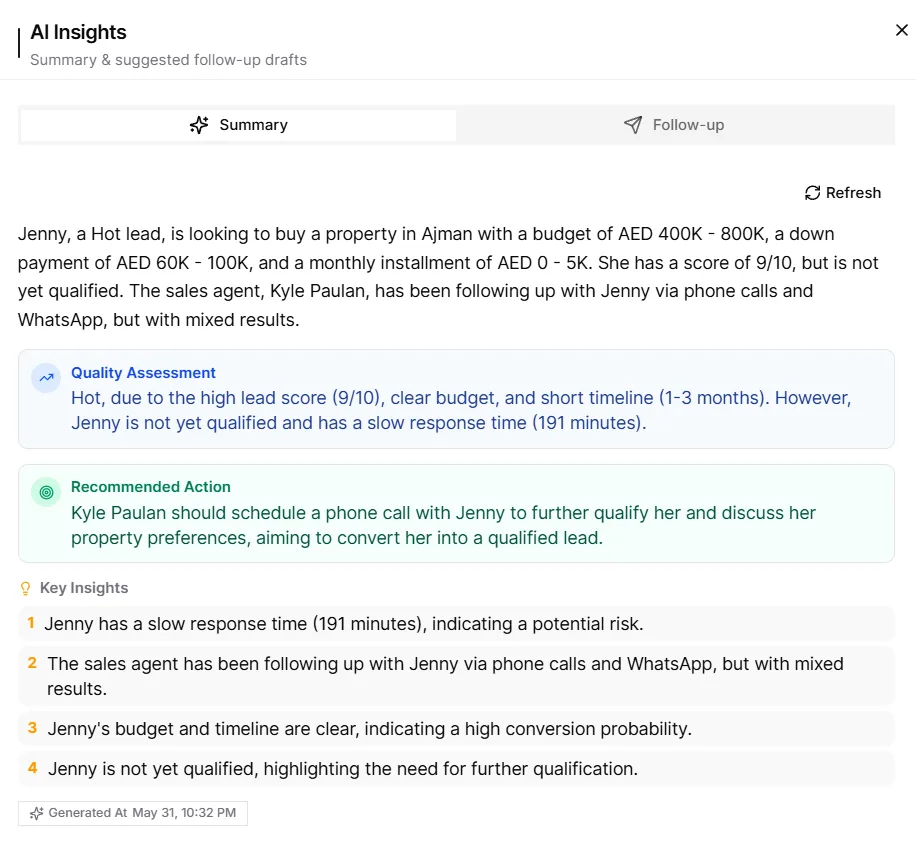
When an agent inherits or opens a lead, AI can summarize the known context: who the customer is, what they want, what happened recently, what opportunities are linked, and why the lead may be worth attention. The output is generated on demand and can be copied, regenerated, or closed.
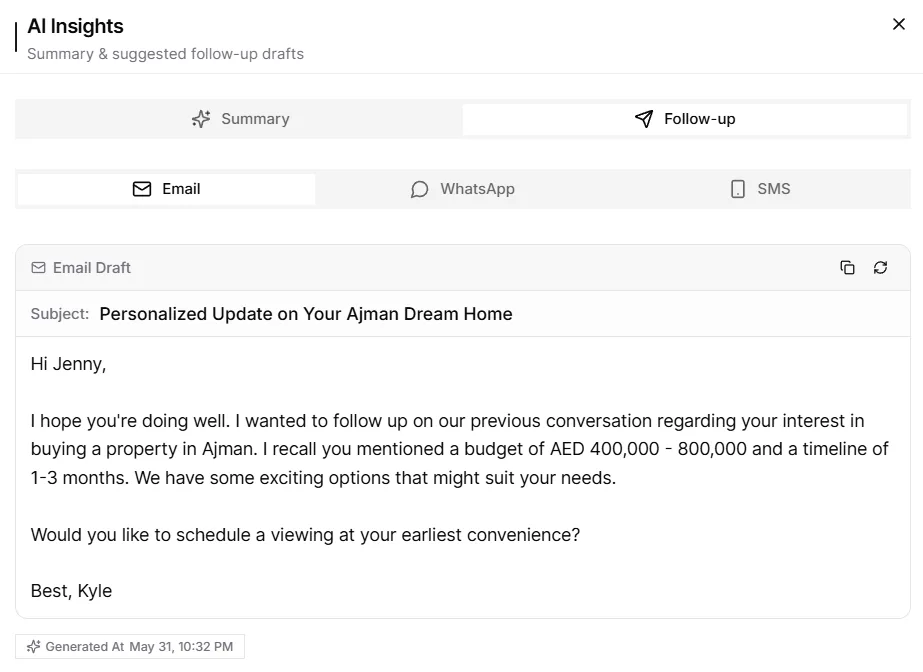
AI can draft a personalized email using the lead's current stage and known context. Agents choose a purpose, review the subject and body, correct any detail, then copy it or send from a connected Gmail, Outlook, or Zoho Mail account. The AI is a starting point — not an automatic sender.
Lead prioritization in IRM365 is not a black-box AI score. Scores come from active scoring rules your admins configure — points can be added or subtracted by source, budget, timeline, priority, status, category, and other fields. AI helps explain and draft around the context, while the rules remain auditable.
Fast context and better first drafts — with transparent scoring and human control preserved.
AI lead summaries generate a concise rundown from profile, preferences, activities, opportunities, notes, and score history.
AI email drafts for real estate generate a subject line and body tailored to the lead stage and known context, ready for review and editing.
Create talking points, internal notes, activity descriptions, or quick summaries for working a lead.
Instead of opaque AI lead scoring, the lead score is calculated from configurable rules — source, budget, timeline, preferences, and other fields.
AI can be wrong, so agents review, edit, copy, regenerate, or discard before anything reaches a customer or replaces a note.
Before saving a call, WhatsApp, meeting, or viewing, Ask Vox can flag missing decisions or next steps and suggest tighter wording without writing automatically.
AI is off by default and only appears when tenant configuration enables it for teams with lead access.
IRM365 modules are connected. Explore the next capabilities that usually sit beside this feature in a real brokerage workflow.
Join UAE real estate teams who run their entire business — leads, deals, contracts, and finance — from one platform. No annual contract.