

Priority routing
Rules are ordered from 1 to 1000; higher numbers run first, tied priorities use the older rule first.
Real estate lead assignment software that evaluates active rules whenever a lead becomes assignable, matches it against your branch, campaign, source, budget, timeline, and property criteria, then assigns it to an eligible employee with a traceable ownership history.
A quick map before the detailed product proof. Jump to the area that matters most.
Priority, conditions, target employees, active status, and routing performance stay visible so managers can inspect whether leads are being distributed fairly before opening a rule.
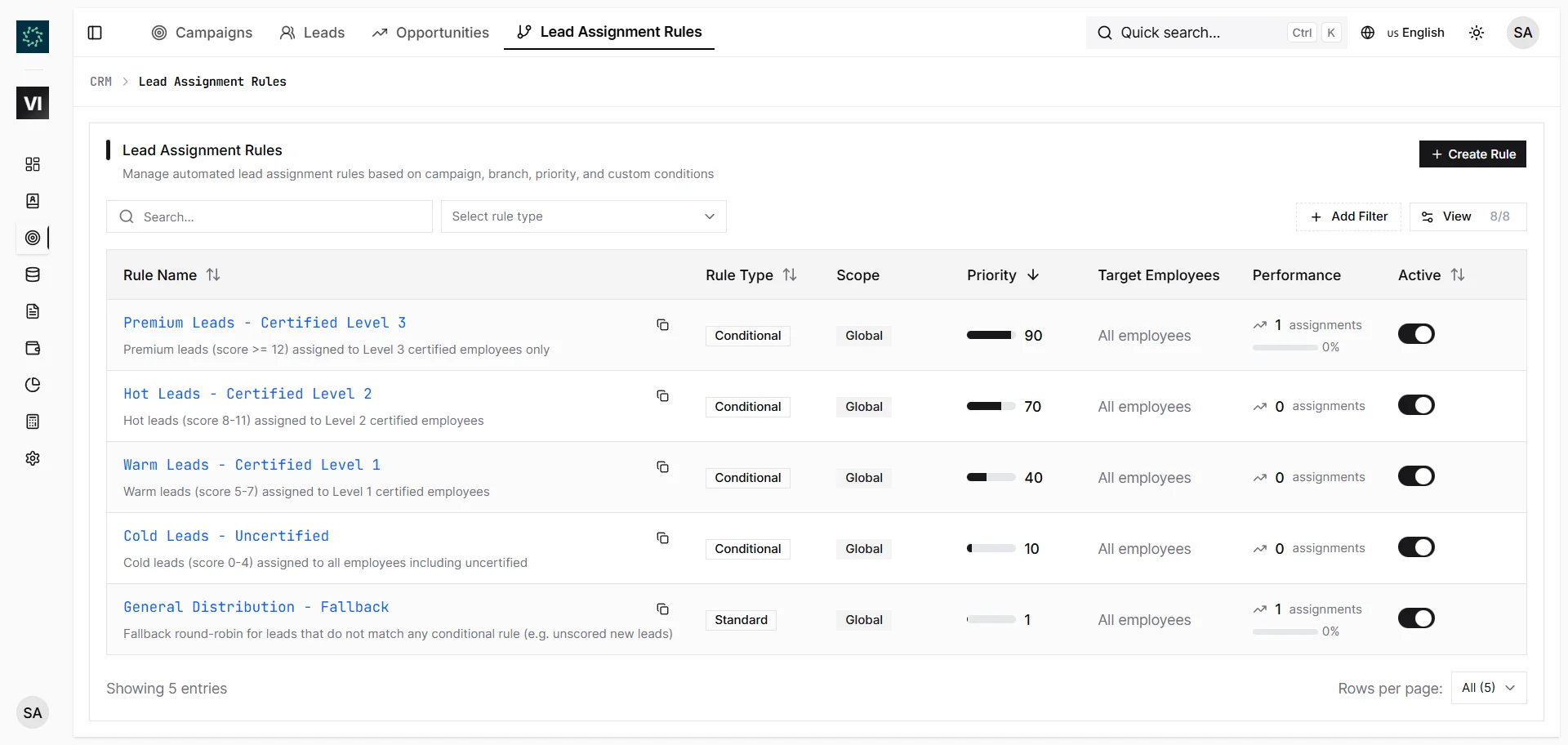
Assignment rules run when a lead becomes assignable — after manual creation, preference capture, import, ad-platform ingestion, or selected duplicate resolutions. IRM365 evaluates active rules in priority order, then applies the first match.
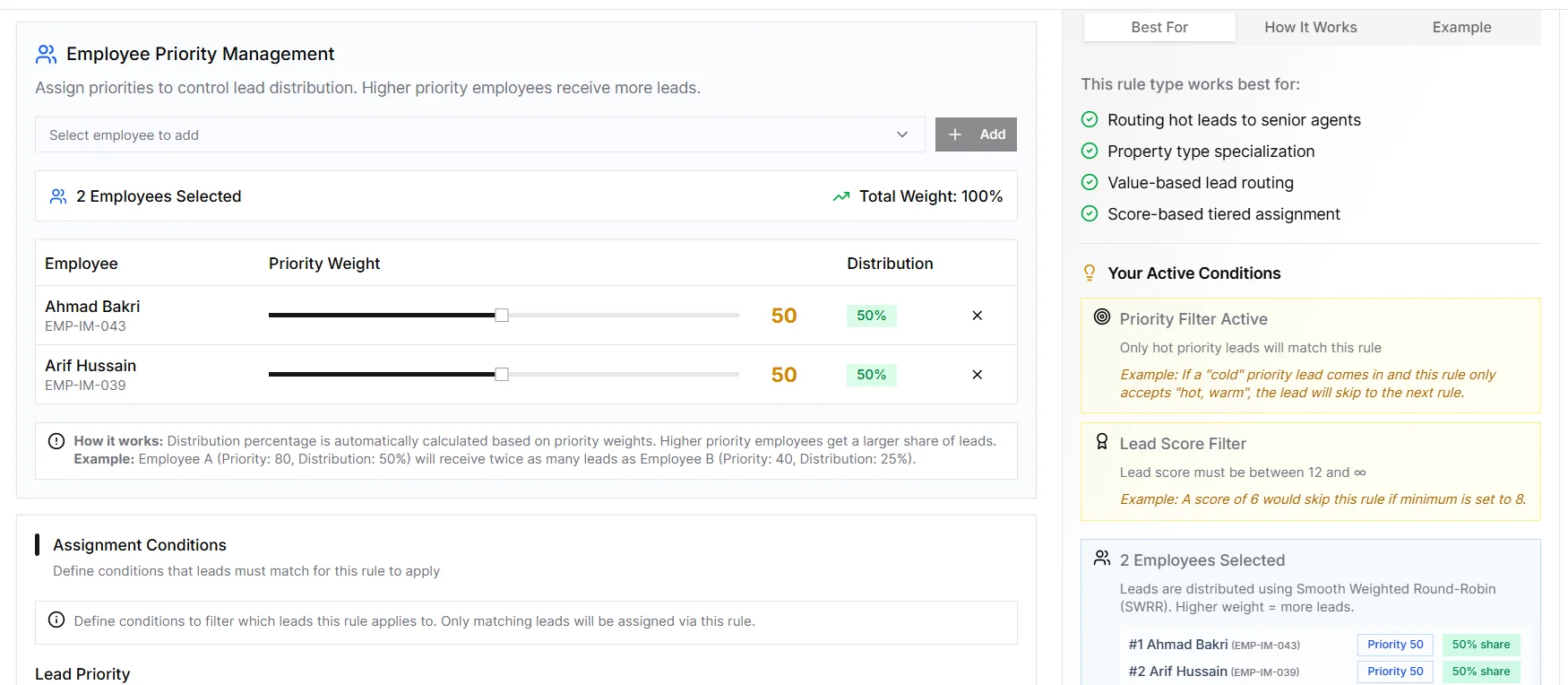
Each rule defines the employees who are allowed to receive matching leads. Multiple target employees can share the segment through round-robin or load-balanced distribution depending on rule type, while inactive or unavailable targets can be spotted through rule metrics.
The rule detail screen includes a Test Rule action. Pick an existing lead and IRM365 tells you whether the rule matches, which target employees would be considered, and why it failed if the conditions are too narrow.
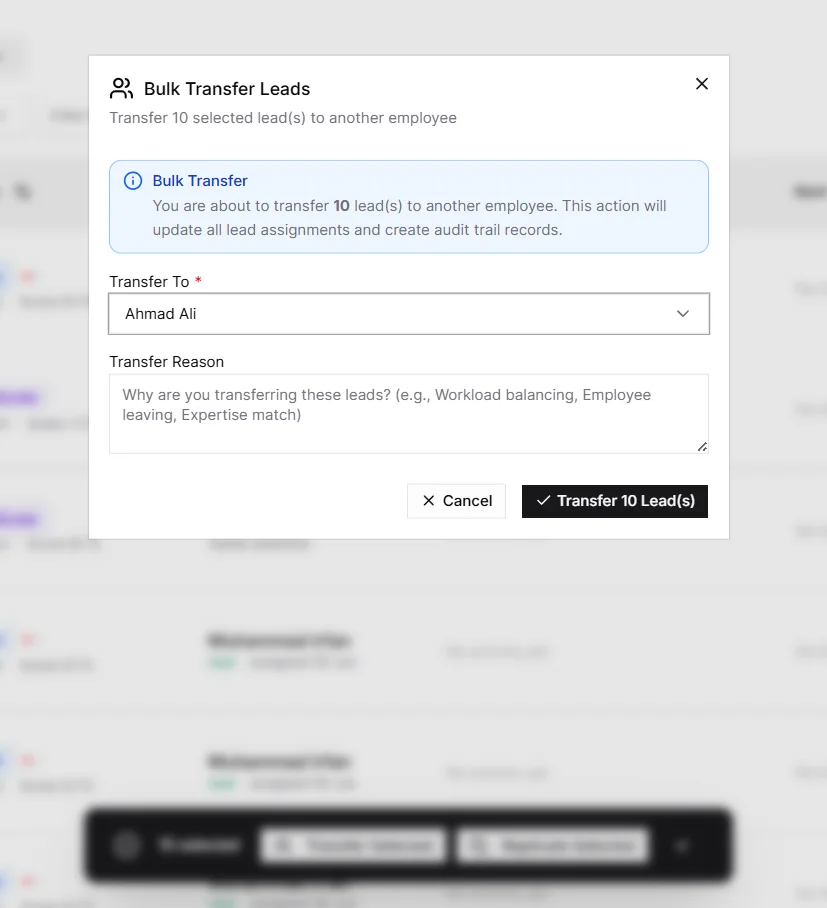
Automatic assignment is only the first handoff. Managers can assign unowned leads, transfer assigned leads, reassign sensitive cases with a mandatory reason, or queue bulk transfers and replications during campaign or team changes.
Automatic lead routing that is deterministic, permissioned, and testable — designed for real estate teams that need fair distribution without losing auditability.
Rules are ordered from 1 to 1000; higher numbers run first, tied priorities use the older rule first.
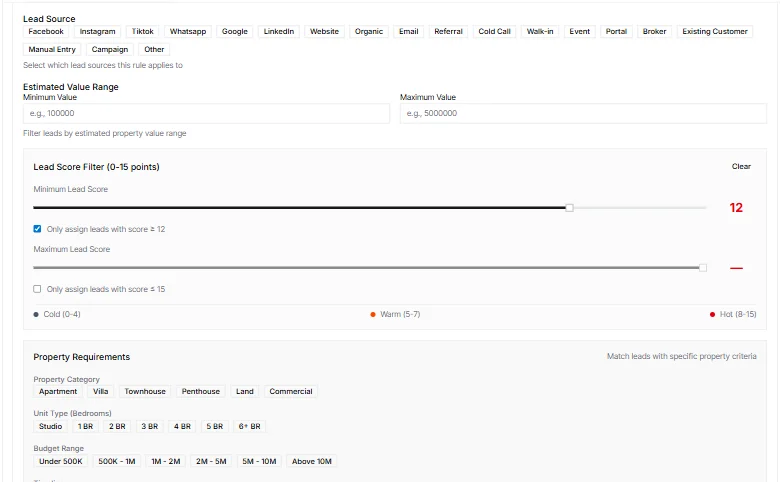
Match by branch, campaign, source, lead type, priority, property category, unit type, budget, down payment, timeline, purpose, and unit status.
Each rule chooses the employees eligible to receive matching leads, so premium or specialist enquiries stay with the right team.
Multiple target employees can share leads through the rule type’s distribution strategy, such as round-robin or load-balanced assignment.
Run a sample lead through a rule and see match status, considered employees, and why a rule did not match.
Track total assignments, successful assignments, and success rate to detect inactive targets or overly narrow conditions.
IRM365 modules are connected. Explore the next capabilities that usually sit beside this feature in a real brokerage workflow.
Capture, qualify, score, and convert enquiries once routing sends them to the right owner.
Learn moreUse rule-based scoring to prioritize the leads that deserve fastest attention.
Learn moreAfter assignment, schedule calls, viewings, WhatsApp follow-ups, and manager-visible activity.
Learn moreJoin UAE real estate teams who run their entire business — leads, deals, contracts, and finance — from one platform. No annual contract.