

Multiple connected Pages
Connect every Facebook Page you grant access to and receive lead delivery from all of them.
Connect the Facebook Pages behind your Meta Lead Ads, map each instant form to an IRM365 campaign, and capture submissions from eligible Facebook and Instagram placements. Every lead arrives structured, attributed, checked, and ready for assignment.
A quick map before the detailed product proof. Jump to the area that matters most.
IRM365 connects to the Facebook Pages that own your Meta lead forms. Once a form is mapped, submissions become campaign-tagged leads and assignment rules run automatically.
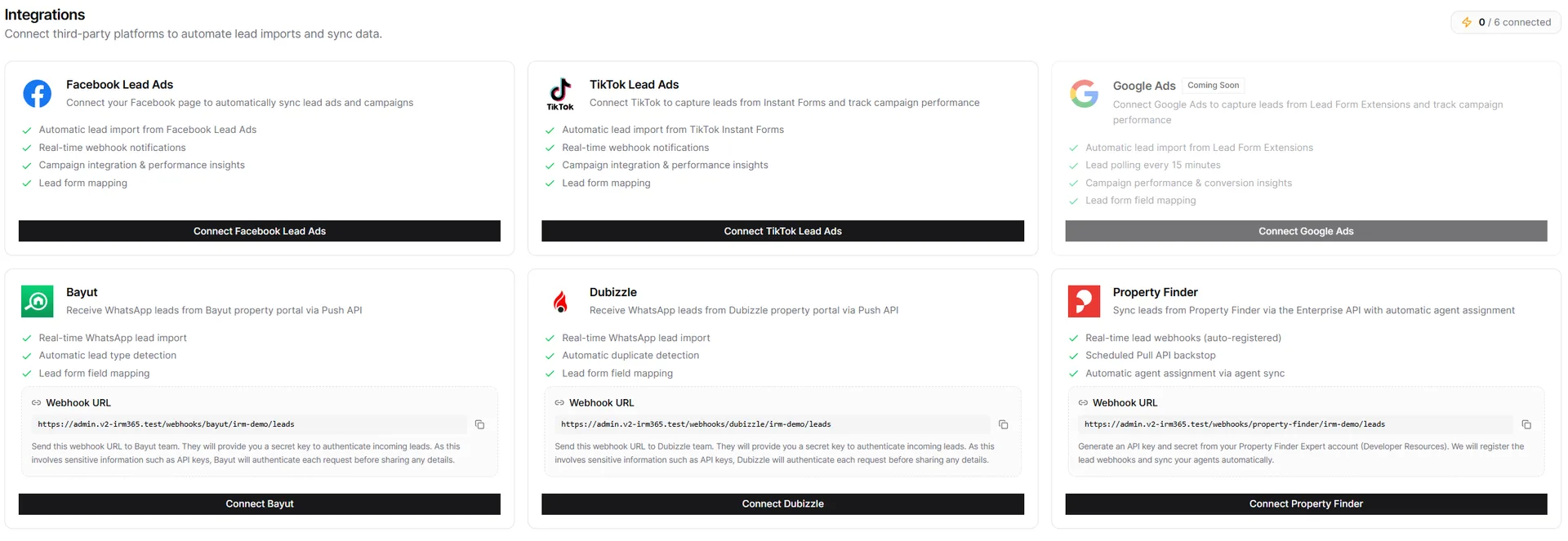
A tenant admin connects IRM365 through Meta's authorization flow and selects one or more Facebook Pages. The integration card lists every connected Page, and additional Pages can be added later without removing the existing set.

Contact details, message, source, and listing reference arrive together.
Field mapping keeps campaign, property, and unit context clean.
Rules or portal profile matching route the lead into the right queue.
Open or create the matching campaign, enter the Meta Form ID, and fetch available questions. IRM365 uses the exact form preview when permissions allow, reconstructs fields from leads already received when needed, or falls back to defaults so mapping can continue.
After a mapped form is submitted, IRM365 creates the lead against the correct campaign, applies the field mapping, and runs the normal lead workflow. Duplicate handling, scoring rules, and assignment rules decide who should work it next.
A Page-backed lead capture workflow for Meta campaigns running across eligible Facebook and Instagram placements.
Connect every Facebook Page you grant access to and receive lead delivery from all of them.
Use the exact Meta form definition when access allows, otherwise reconstruct fields from received leads or start from defaults.
Link each Page-backed form to the correct IRM365 campaign for clean attribution.
New submissions are delivered to IRM365 in the background without CSV exports.
Run scoring, duplicate checks, and routing as soon as the new lead is created.
Sync campaign impressions, clicks, and spend where Meta makes those insights available.
IRM365 modules are connected. Explore the next capabilities that usually sit beside this feature in a real brokerage workflow.
Join UAE real estate teams who run their entire business — leads, deals, contracts, and finance — from one platform. No annual contract.