

Log against a unit
Raise an issue on the specific unit, so the request carries its property, owner, and history from the start.
Log a maintenance issue against a unit, forward it to the owner, and track it to resolution with the vendor, the cost, and who bears it recorded. Response targets keep overdue work visible, and a resolved request can be reopened with its earlier resolution preserved.
A quick map before the detailed product proof. Jump to the area that matters most.
An agent logs the issue against the unit, forwards it to the owner, and tracks it through to resolution. The request records the vendor, the cost, and who bears it, and closes only once the customer confirms the problem is solved.
Each priority has a response target, so an overdue request shows on the list, on the request itself, and in the statistics. A scheduled visit reminds the assigned agent the day before, keeping site work on time.
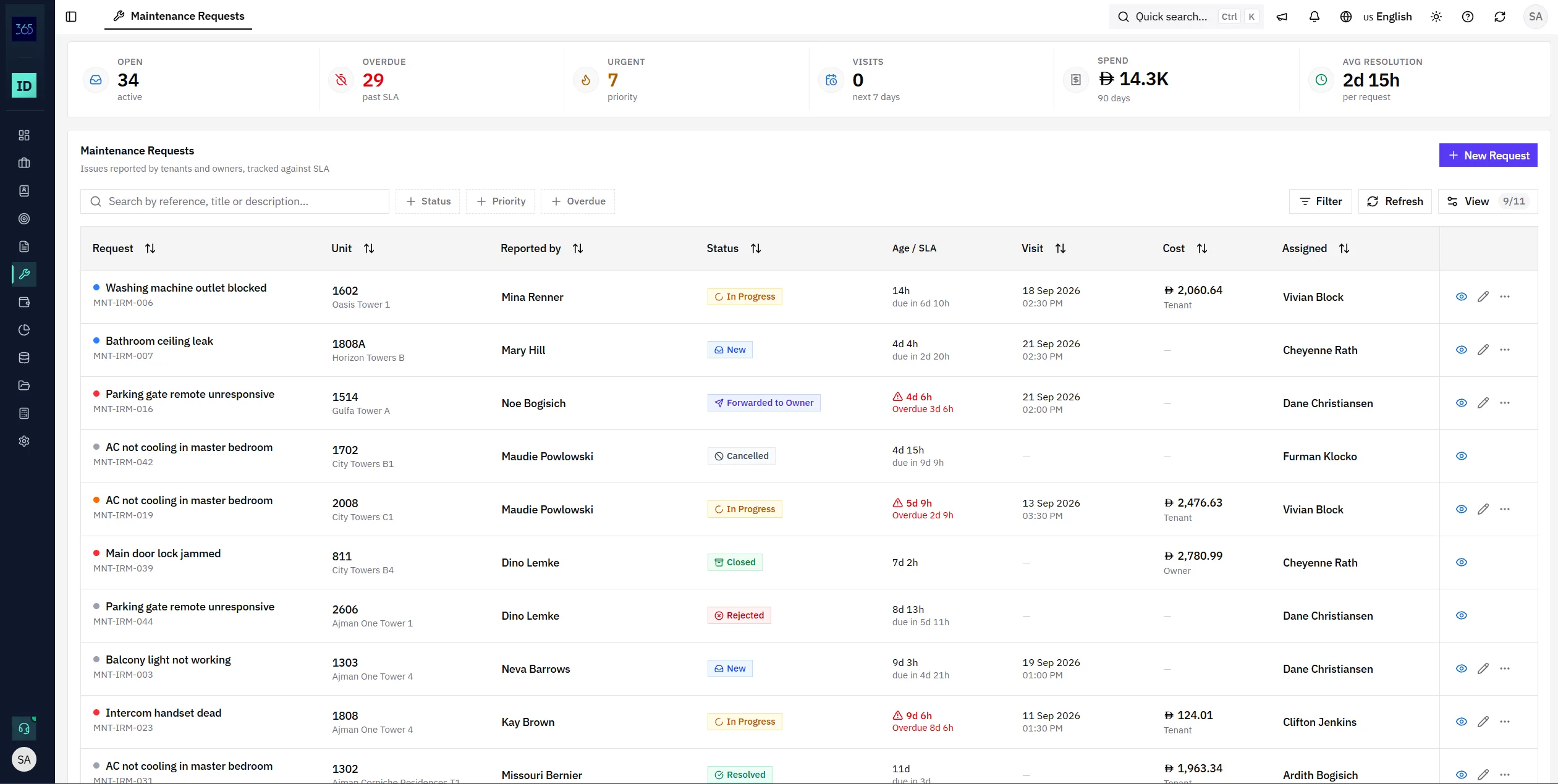
If the customer reports the issue is not actually fixed, the request goes back to In Progress with a required reason. The earlier resolution is preserved, and any issue raised from a contract appears in that contract's maintenance history.
“Tenant reports the AC is cooling intermittently again.”
The earlier resolution — vendor, cost, and closing note — is preserved, not overwritten.
Every issue is tied to the unit and, where relevant, the contract — with responsibility, cost, timing, and history kept in one place instead of scattered across messages.
Raise an issue on the specific unit, so the request carries its property, owner, and history from the start.
Pass the request to the property owner and track it to resolution without losing who is responsible.
Record the vendor, the amount, and whether the owner, tenant, or agency carries the cost.
Set a visit date and the assigned agent is reminded the day before, so nothing is missed on site.
Each priority carries a service level, so overdue requests surface on the list, the request, and the statistics.
When the customer says it is not fixed, reopen the request with a required reason and keep the earlier resolution.
IRM365 modules are connected. Explore the next capabilities that usually sit beside this feature in a real brokerage workflow.
Join UAE real estate teams who run their entire business — leads, deals, contracts, and finance — from one platform. No annual contract.