

Seeded roles
Role-based access CRM defaults — agent, team-manager, cashier, accounts-admin, HR manager, general-manager, leads-admin, and super-admin — provide a starting point.
Real estate CRM permissions and security: IRM365 administration combines role bundles, fine-grained permissions, user overrides, tenant settings, regional defaults, numbering, feature toggles, and auditability for controlled operations.
A quick map before the detailed product proof. Jump to the area that matters most.
Admins can create roles by job function, assign users, manage permissions through the matrix, and keep Super Admin reserved for exceptional access.
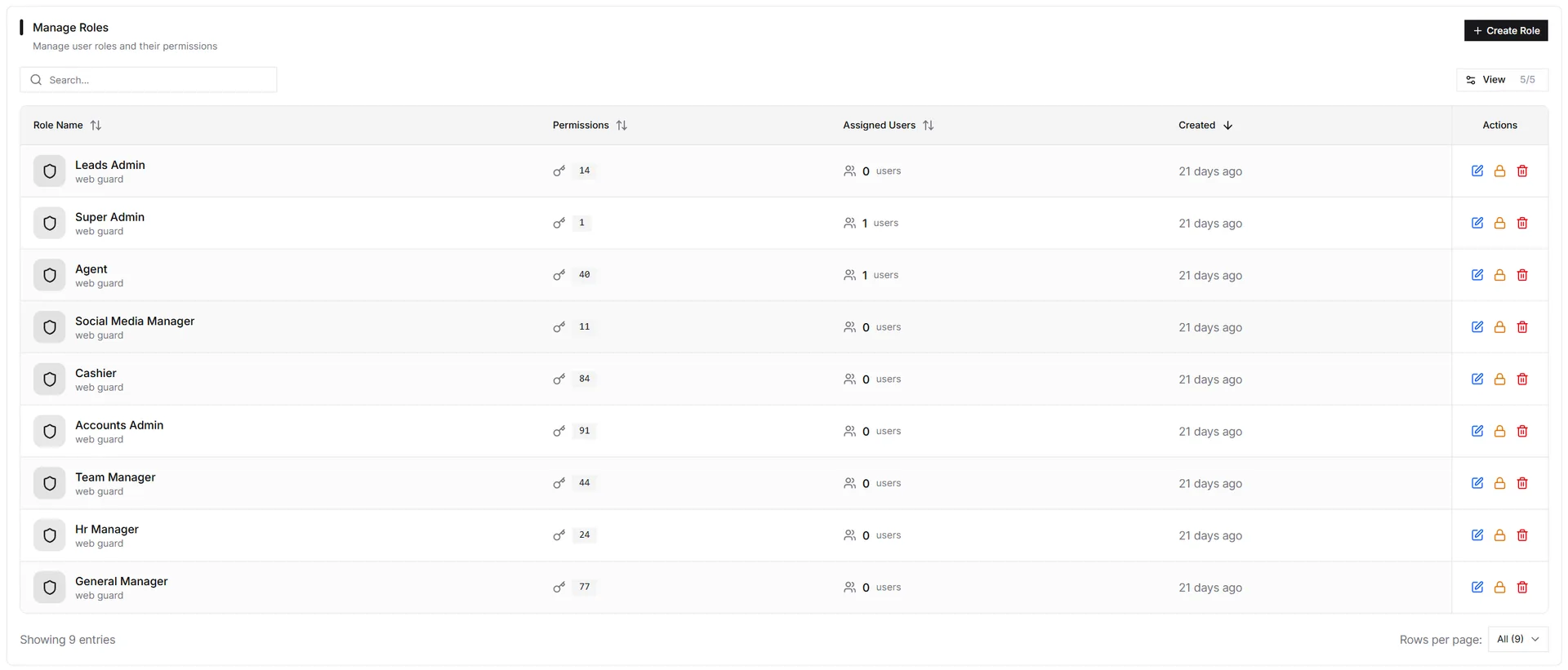
Roles are named permission bundles such as agent, team manager, cashier, accounts admin, HR manager, general manager, leads admin, and super-admin. Users can hold multiple roles; their effective permissions are the union.
Permissions follow a module.action pattern such as leads.create, mous.activate, receipts.update, contracts.terminate, or offers.create. The UI hides unavailable actions and the API rejects unauthorized attempts.
Company settings define the tenant’s identity and operating defaults: company information, logo, timezone, currency, default language, numbering schemes, customer verification, approval workflows, tax defaults, bank defaults, and document-template defaults.
Company name, legal name, license, address, logo
Timezone, currency, language, date and number format
Customer verification, approval workflows, feature flags
Prefixes and starting sequences for business records
These CRM security controls define who can act, what defaults the tenant uses, and how those changes are traced.
Role-based access CRM defaults — agent, team-manager, cashier, accounts-admin, HR manager, general-manager, leads-admin, and super-admin — provide a starting point.
Actions are gated by module.action permissions like leads.create, mous.activate, or receipts.update.
Exceptional permissions can be added directly to a user while roles remain the primary model.
Configure company identity, regional defaults, toggles, numbering, bank, tax, and document-template defaults.
Subscription and billing operations stay with authorized administrative roles.
Roles and hierarchy govern which records appear in dashboards, reports, and operational pages.
Install IRM365 as a Progressive Web App from Chrome, Edge, Android, or Safari, with browser push notifications for alerts where enabled.
IRM365 modules are connected. Explore the next capabilities that usually sit beside this feature in a real brokerage workflow.
Join UAE real estate teams who run their entire business — leads, deals, contracts, and finance — from one platform. No annual contract.