

Three personal providers
Connect Gmail, Microsoft 365 or Outlook, and Zoho Mail from one Mail Accounts workspace.
Connect Gmail, Microsoft 365 or Outlook, and Zoho Mail to IRM365. Agents send lead and opportunity emails from their own address, receive replies in their normal inbox, attach the files a deal needs, and keep every send logged against the CRM record.
A quick map before the detailed product proof. Jump to the area that matters most.
Each user connects their own mailbox from Settings. Gmail, Outlook, and Zoho Mail remain personal to that user, while company email stays available as a fallback.
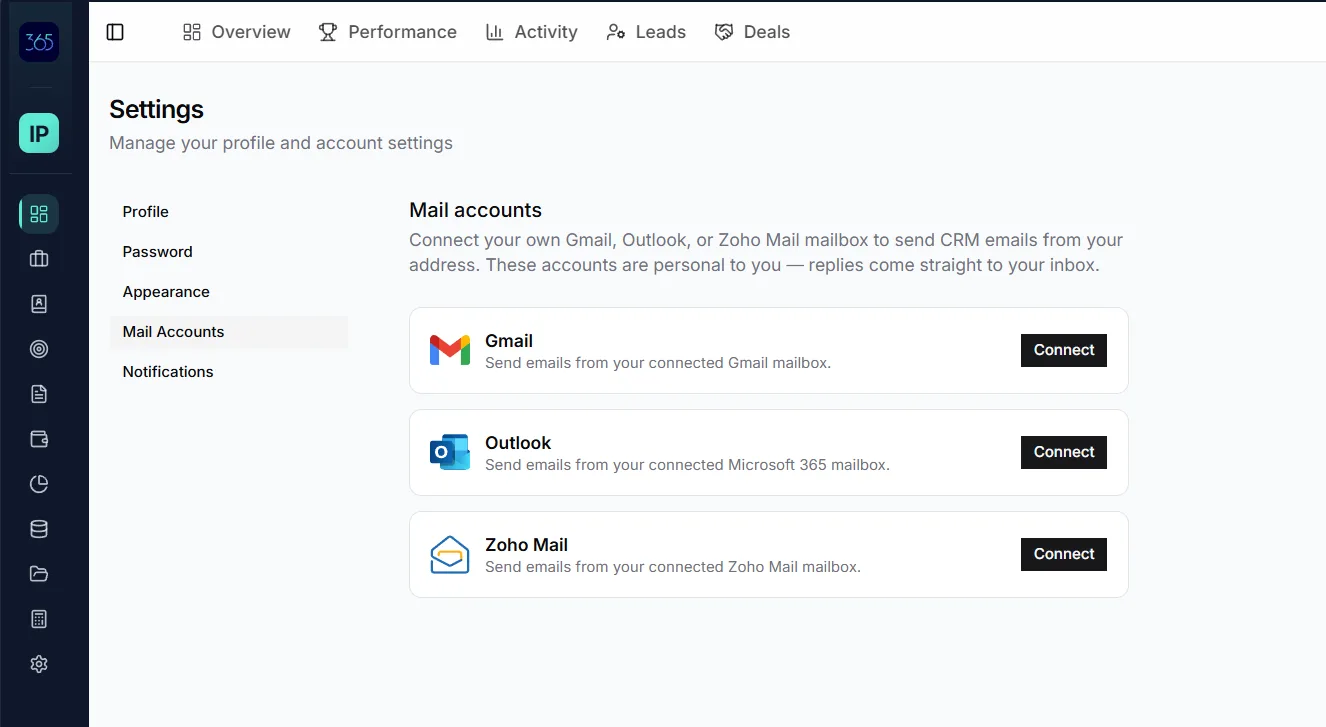
From Settings → Mail Accounts, a user can connect Gmail, Outlook or Microsoft 365, and Zoho Mail through the provider's secure consent flow. Connections are individual rather than tenant-wide, and more than one provider can be connected when an agent uses multiple mailboxes.
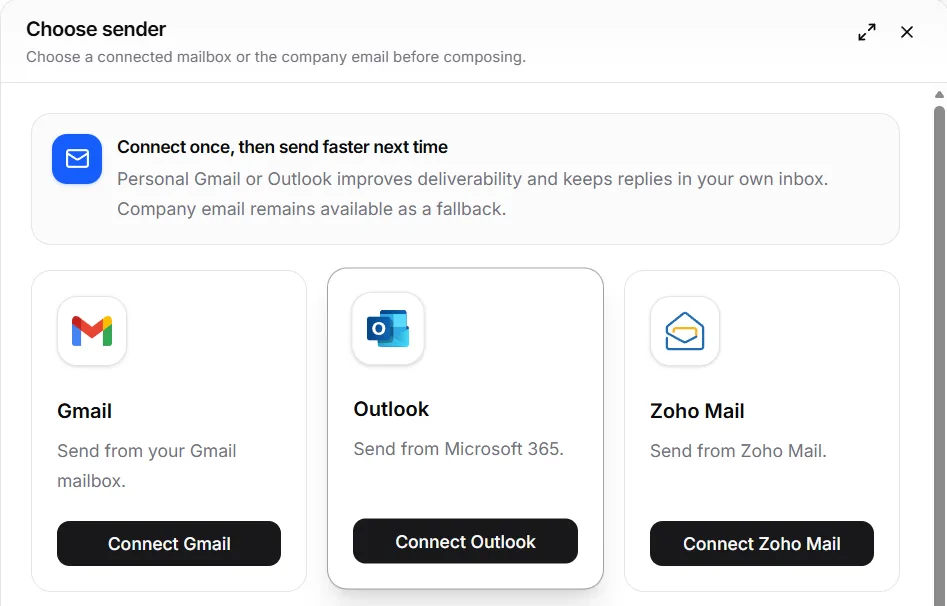
Open the floating composer from a lead or opportunity, choose the sender, write or review the message, add attachments, and send. The recipient and record context are already connected, reducing the copy-and-paste work that causes follow-up to go unlogged.
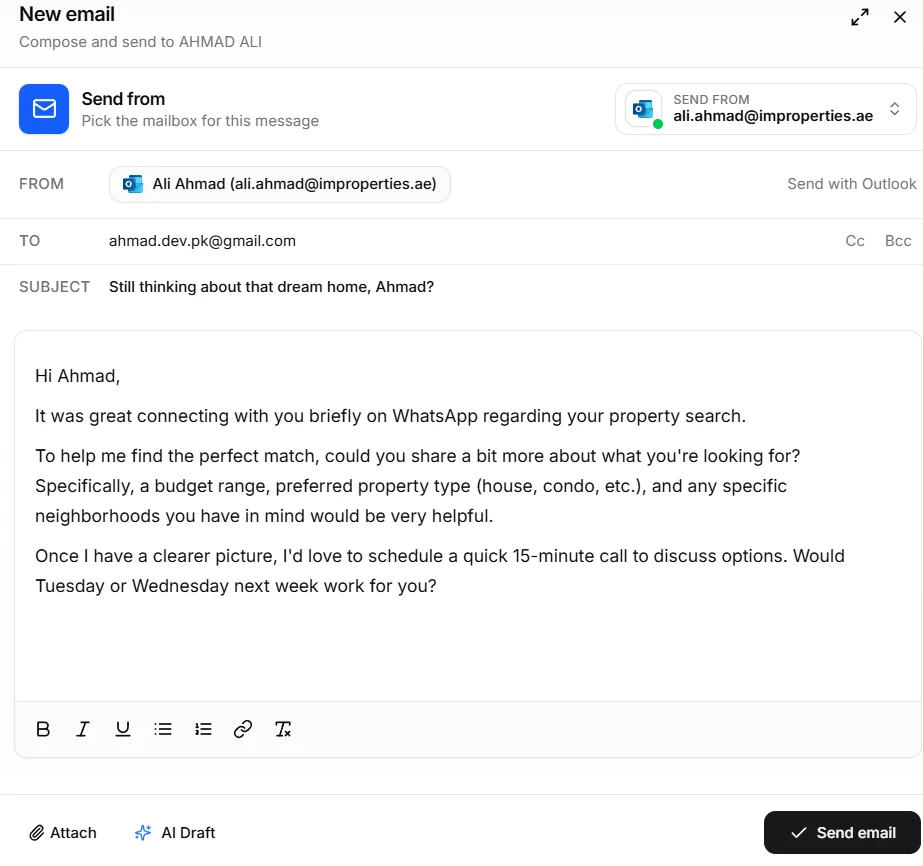
Because the message is sent from the agent's connected address, the customer's reply returns to that same inbox. Agents continue the conversation in the tools they know, while IRM365 preserves the outbound activity that managers need for follow-up visibility.
 Gmail
Gmail Outlook
 Zoho Mail
Still thinking about that dream home, Ahmad?
Ali's own inboxNewA send-first workflow for real estate follow-up: personal delivery, provider choice, attachments, and CRM accountability without turning IRM365 into another inbox.
Connect Gmail, Microsoft 365 or Outlook, and Zoho Mail from one Mail Accounts workspace.
Every mailbox belongs to the agent who connected it; other team members do not gain access.
Messages use the connected address, so customer replies arrive in the responsible agent's inbox.
Send brochures, floor plans, payment plans, proposals, and other deal files from the composer.
Every sent email is recorded as an activity on the related lead or opportunity.
Connections are optional, use provider OAuth, and can be disconnected from Settings at any time.
IRM365 modules are connected. Explore the next capabilities that usually sit beside this feature in a real brokerage workflow.
Join UAE real estate teams who run their entire business — leads, deals, contracts, and finance — from one platform. No annual contract.