

Approval decisions
This approval management CRM lets you approve, reject, request changes, cancel, or assign requests according to permission and routing rules.
Approval workflow software for real estate teams: IRM365 routes consequential actions through approval queues, captures decision notes and notifications, then records business-data changes with searchable before-and-after audit history.
A quick map before the detailed product proof. Jump to the area that matters most.
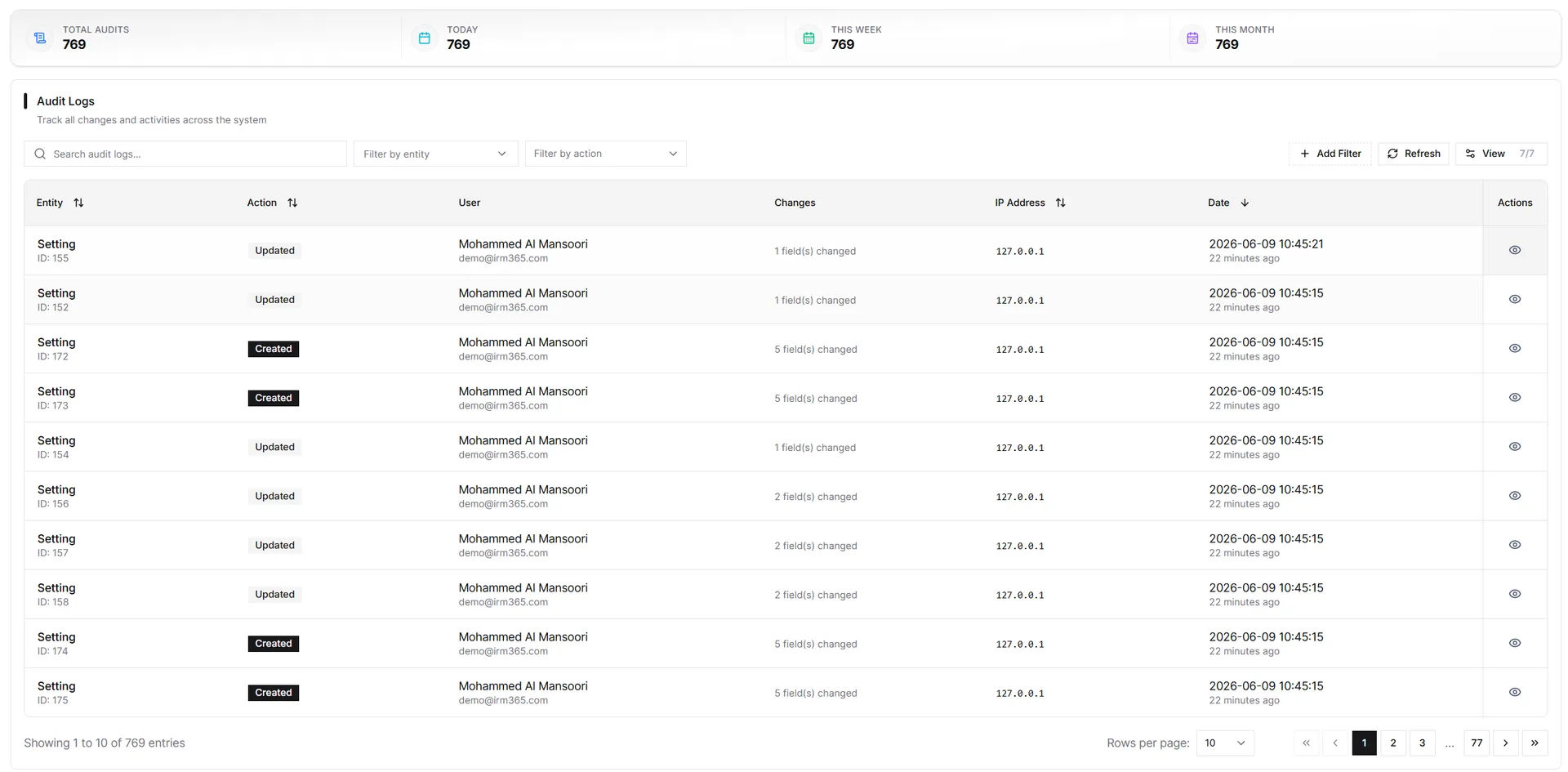
Audit logs surface who made a change, when it happened in the tenant timezone, what record changed, and the before/after values needed for compliance or dispute resolution.
Approvals enforce the four-eyes principle through four focused queues: Needs My Decision, Team Queue, My Requests, and History. Sensitive actions include lead disqualification, MOU activation, high-value receipt voids, some contract terminations, and bulk operations above configured thresholds.
Decision makers review the requested action, requester notes, supporting documents, and evidence captured when the request was raised. Lead disqualification reviews show lifecycle gaps, budget and preferences, activity outcomes, contradictions, and anything changed since; MOU activation reviews show parties, property, dates, amount, and commission gaps.
IRM365 audit logs record business-data changes across records and settings with user, timestamp, tenant timezone, IP address, user agent, event type, record reference, and before/after field differences.
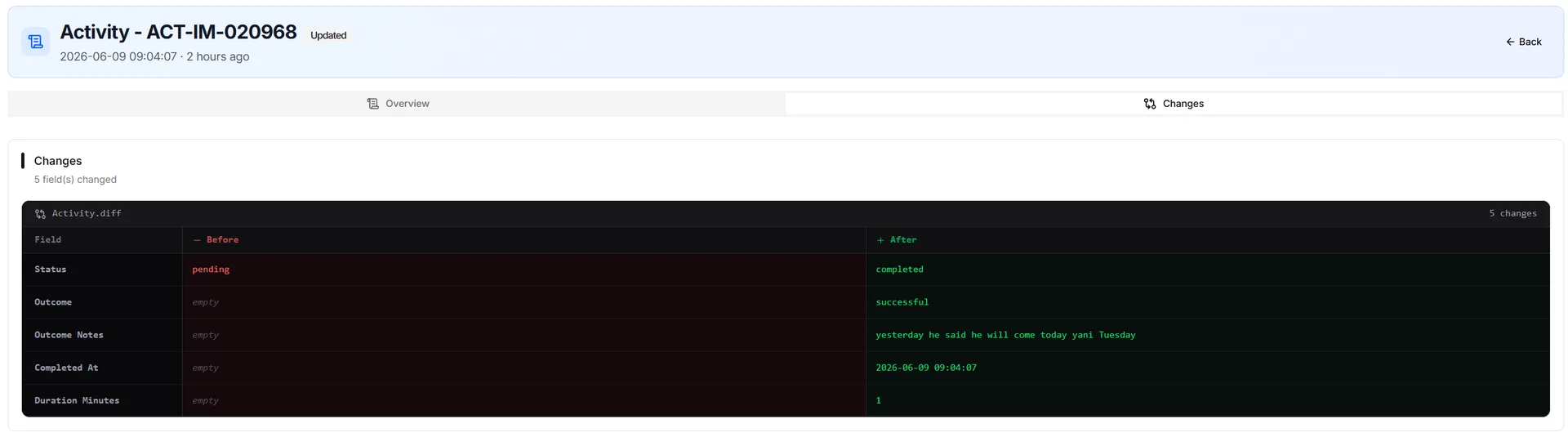
Approvals prevent unilateral high-impact actions; audit logs reconstruct what changed after the action is complete.
This approval management CRM lets you approve, reject, request changes, cancel, or assign requests according to permission and routing rules.
Typical approval actions include MOU activation, lead disqualification, high-value receipt voids, terminations, and bulk operations.
Audit trail CRM rows expose changed fields with old values and new values for each update.
Approval queues and audit logs respect role, permission, and hierarchy scope.
Approvals notify requesters and relevant users when a decision is made — in-app, by email, and via browser or PWA push where enabled.
Most important records expose a local Audit section without searching the global log.
IRM365 modules are connected. Explore the next capabilities that usually sit beside this feature in a real brokerage workflow.
Join UAE real estate teams who run their entire business — leads, deals, contracts, and finance — from one platform. No annual contract.