Real estate lead forms with agent QR links
Build a branded lead form in minutes, then share it as a link, a QR code or on your own website. Every submission becomes a lead straight away, with its source, campaign and UTM tags, and leads from an agent's own link go to that agent.
What this module helps your team do
A quick map before the detailed product proof. Jump to the area that matters most.
Build it on a live preview
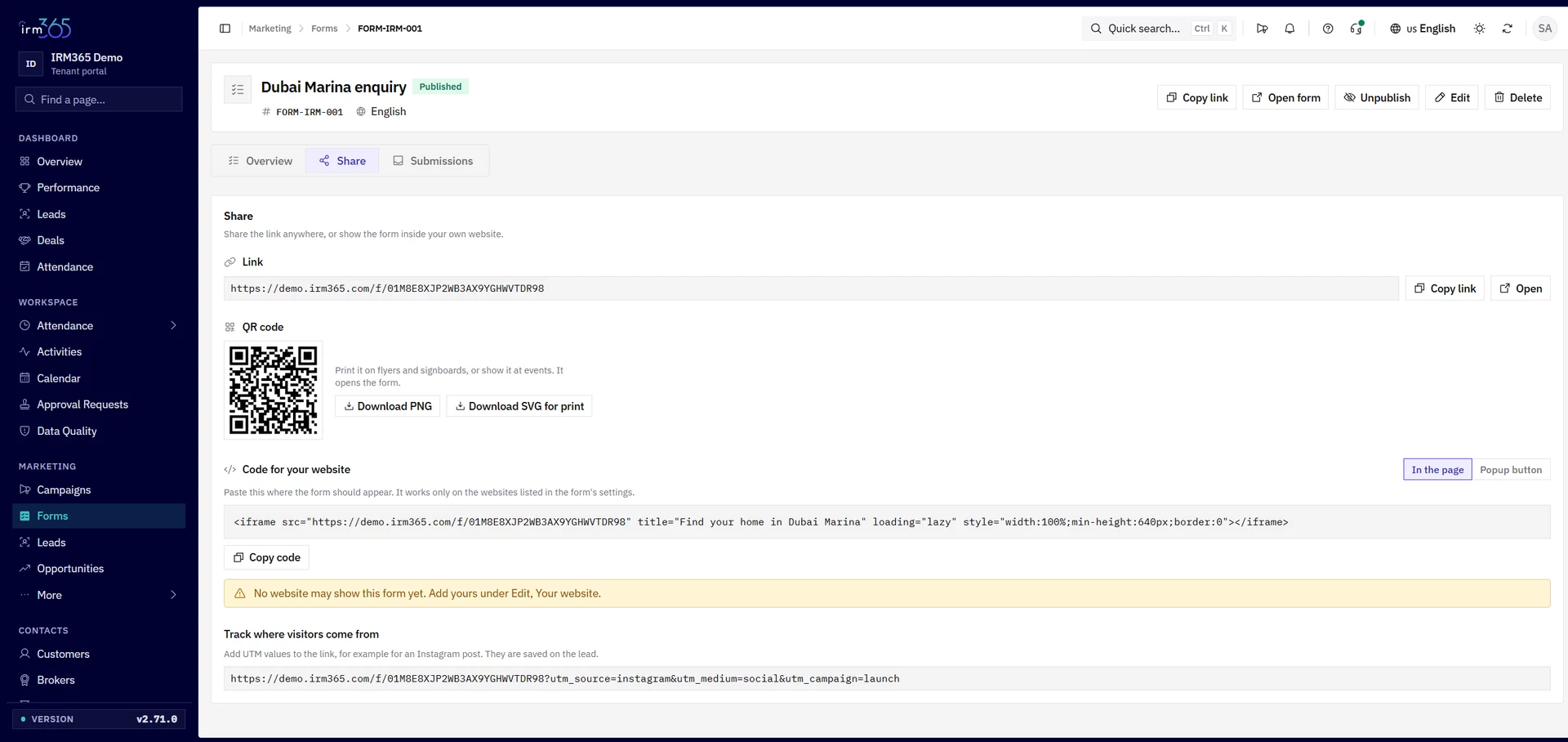
Drag fields onto the canvas and see the form exactly as visitors will. Name, phone and email come first; add budget, preferred location, notes or your own questions, and each lead field fills the matching field on the lead.
- Drag-and-drop fields on a live canvas
- Your colours, corners and logo
- Write the form in English or Arabic
- Preview on desktop or phone before you publish
A link, a QR code or your own website
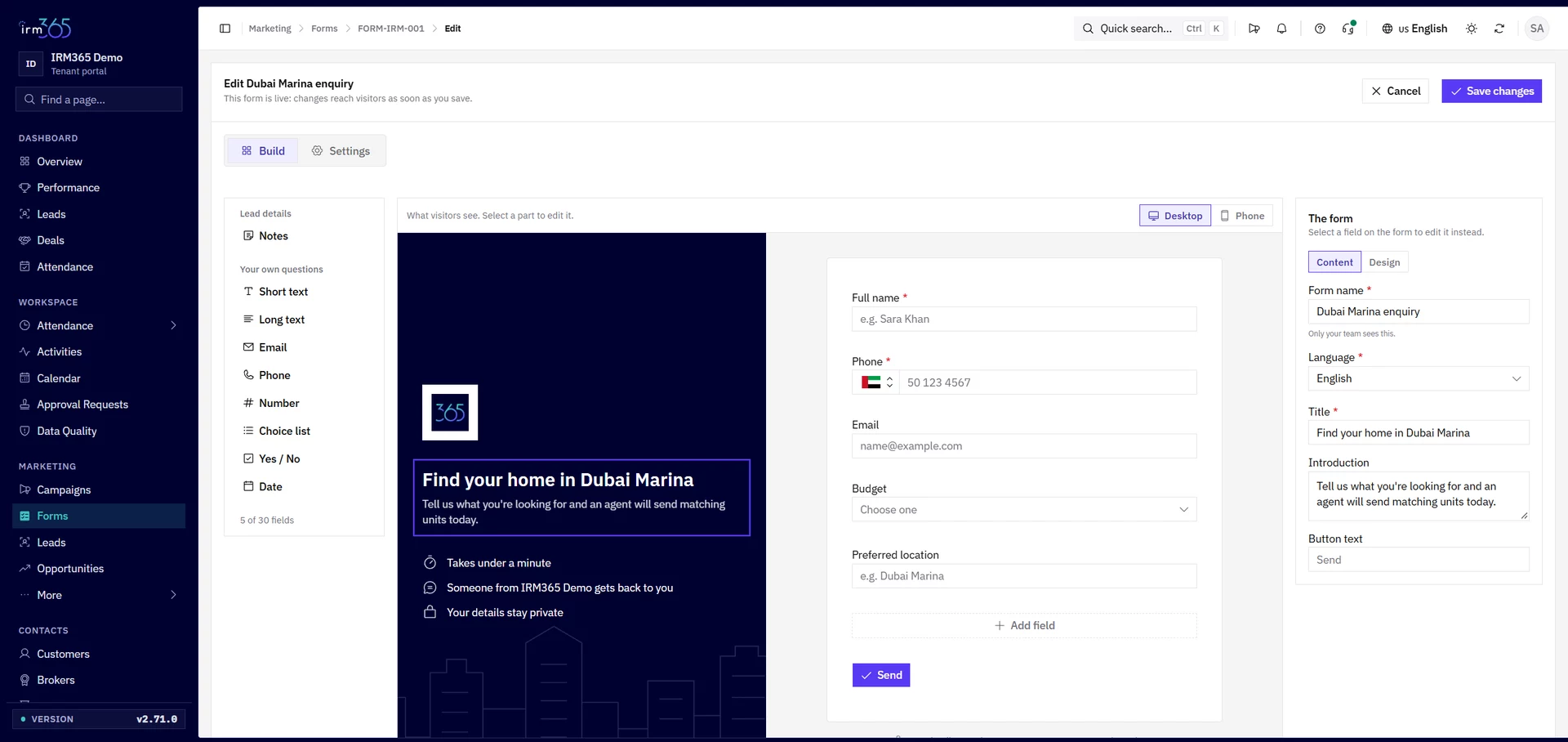
Publish once and share it anywhere: post the link, print the QR code on flyers and signboards, or paste the code into your website, in the page or as a popup button.
- Share link for WhatsApp, social posts and email
- QR code as PNG, or SVG for print
- Embed in the page or as a popup button; a plain embed blends into your site's design
- UTM values on the link are saved on the lead
Every agent gets their own link
Under Forms → My links, each agent has a personal link and QR code for every published form. Leads that come in through it are assigned to that agent, so a signboard or an Instagram story pays the agent who shared it.
- Leads from an agent's link go to that agent, if they take leads
- A personal QR code per agent and form
- Managers can open their team's links
- A warning shows when someone's lead assignment is off
- SKSara Khanirm365.com/f/01M8E8…?a=sara18 leadsAssigned to Sara
- OHOmar Haddadirm365.com/f/01M8E8…?a=omar11 leadsAssigned to Omar
- Lead assignment is offPNPriya Nairirm365.com/f/01M8E8…?a=priya
Leads from each link go to the agent who shared it.
See what each form brings in
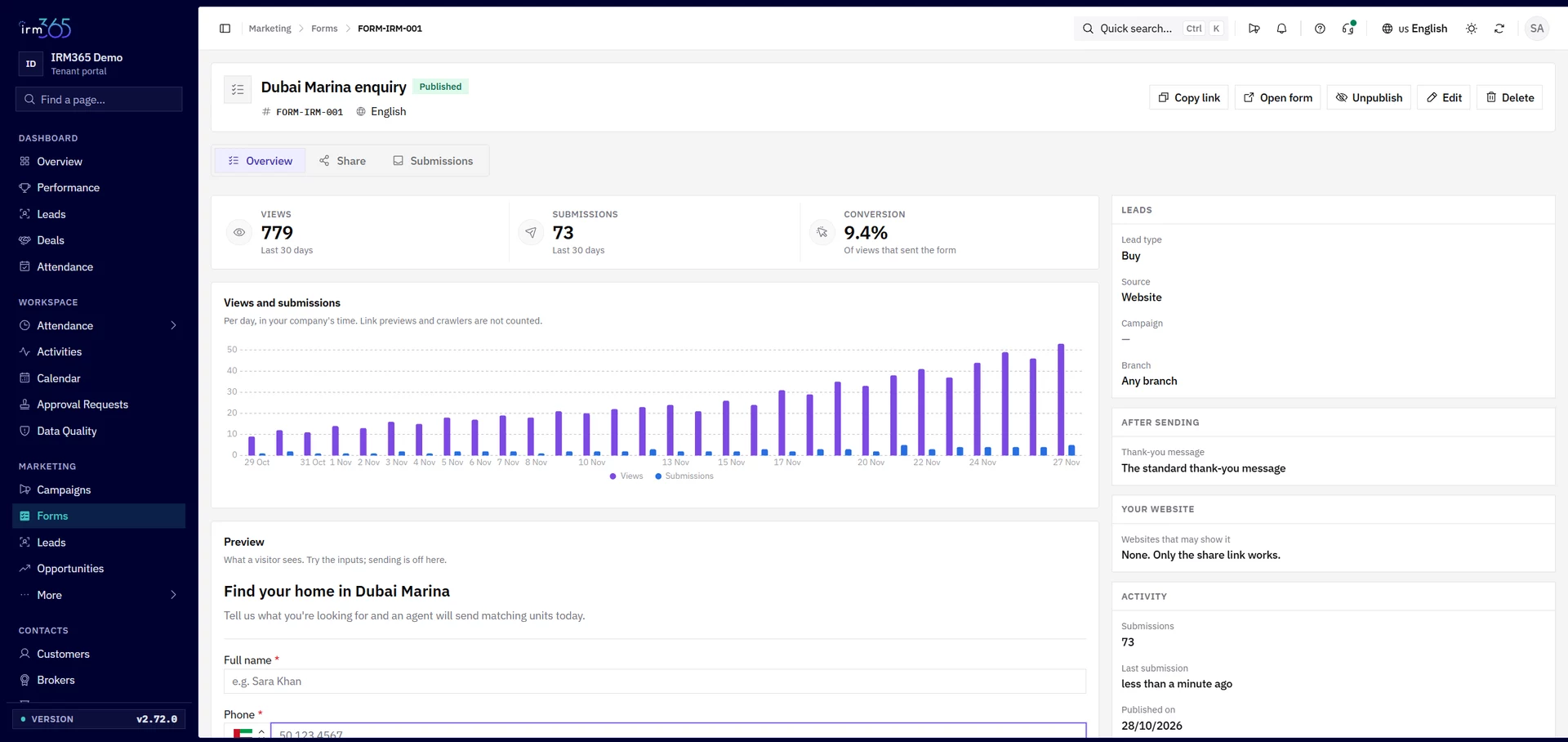
Views, submissions and conversion for every form, by day. Each submission shows the lead it became and the agent link it came through, and the lead itself shows the form, the page it was sent from and the consent given.
- Views, submissions and conversion per form; previews and bots are not counted
- Every submission linked to its lead; a failed one can be retried
- Optional consent tick-box; the exact wording each visitor agreed to is kept
- Spam trap, minimum fill time, an hourly limit and duplicate detection
Frequently asked questions
Related features
IRM365 modules are connected. Explore the next capabilities that usually sit beside this feature in a real brokerage workflow.
Ready to close more deals with less effort?
Join UAE real estate teams who run their entire business — leads, deals, contracts, and finance — from one platform. No annual contract.