

Broad source taxonomy
Lead source tracking covers paid social/search, owned channels, offline/referral, property portals, brokers, and catch-all sources.
IRM365 makes real estate campaign management the attribution layer for your CRM: tagged lead sources, integration mappings, lifecycle controls, insight sync, assignment-rule linkage, and reporting context for UAE real estate teams.
A quick map before the detailed product proof. Jump to the area that matters most.
Campaign detail opens with a total-to-conversion lead funnel, cost-per-lead and budget context, then keeps integrations, linked assignment rules, agent distribution, and searchable leads visible.
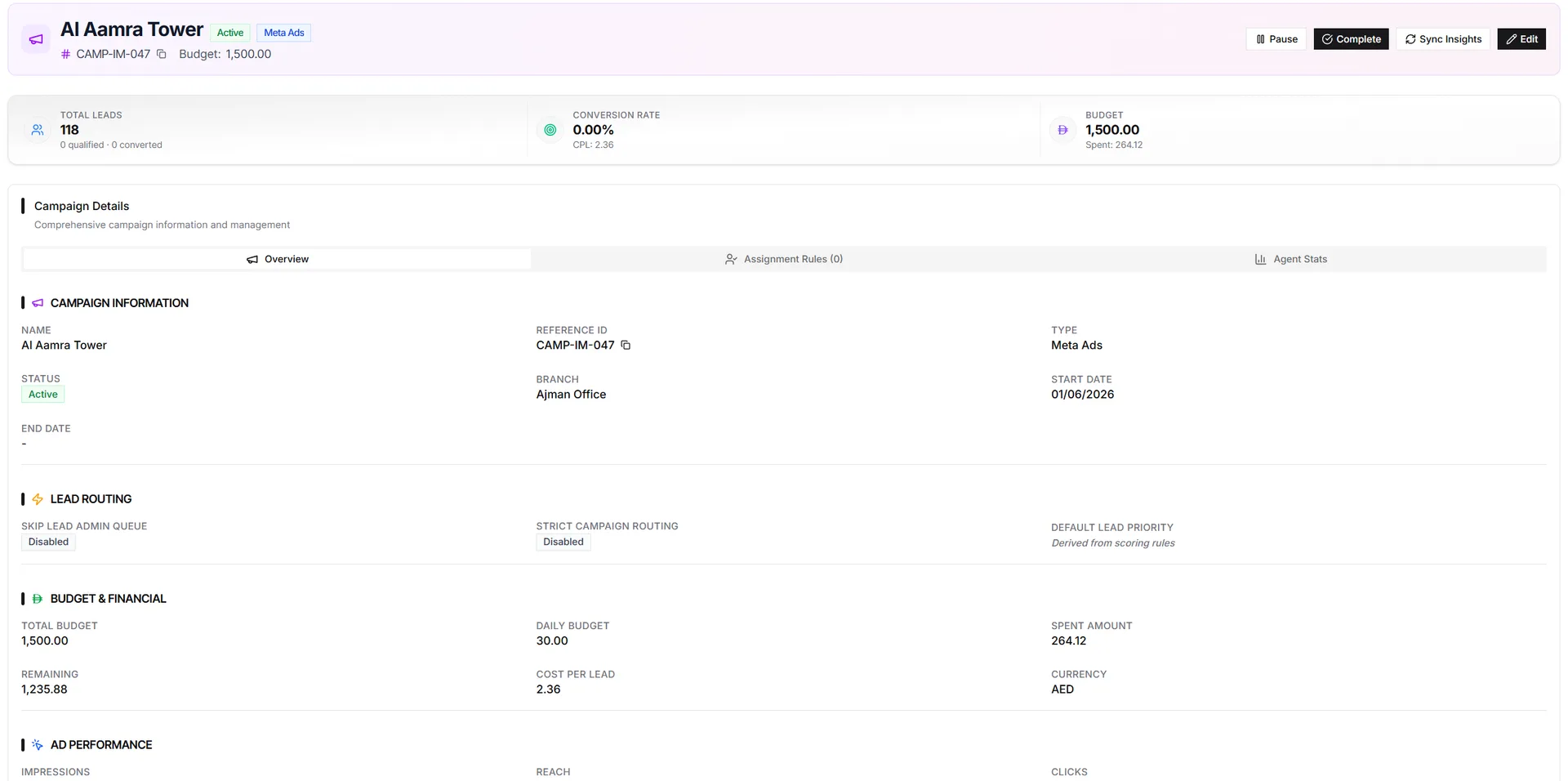
Campaigns are the source layer for IRM365 leads. Paid ads, portals, owned channels, events, referrals, brokers, and manual sources can all be recorded so each enquiry keeps its origin, branch, priority, budget context, and reporting trail.
Campaigns move through Draft, Active, Paused, and Completed states. Active campaigns accept incoming integration leads, Paused campaigns block new ingestion temporarily, and Completed campaigns become terminal reporting records.
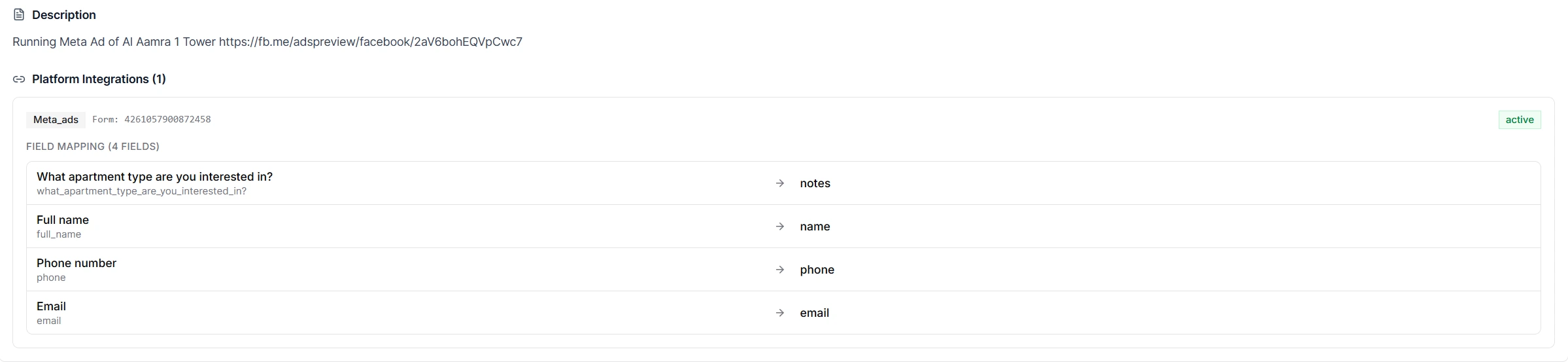
For Meta Lead Ads across Facebook and Instagram placements, plus TikTok campaigns, IRM365 stores platform campaign IDs, form IDs, and field mappings. The Fetch Form Questions action pulls platform form fields so teams can map names, phones, emails, and answers into the correct lead fields.
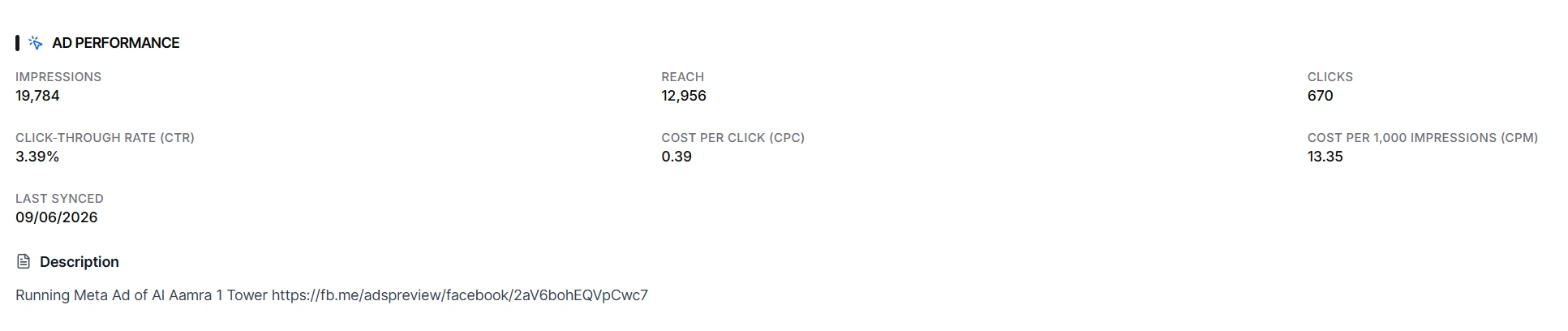
Supported paid platforms can sync impressions, clicks, spend, and CTR into campaign analytics. The refreshed campaign page opens with a lead funnel from total to qualified and converted, alongside cost per lead and budget.
A campaign attribution CRM for teams that need every lead tied back to a source, every active integration mapped cleanly, and every paid campaign measured beyond raw lead volume.
Lead source tracking covers paid social/search, owned channels, offline/referral, property portals, brokers, and catch-all sources.
Move campaigns through launch and pause states freely; Completed is terminal and kept for reporting.
Ad lead tracking stores platform campaign IDs, form IDs, and mappings for Meta and TikTok lead generation flows.
Auto-load available platform fields so teams can map form answers to IRM365 lead fields without guessing IDs.
A lead funnel, budget spend bar, and synced insights connect total, qualified, converted, cost per lead, clicks, spend, and CTR.
Find linked leads by name, reference, email, phone, status, source, or owner from the campaign record.
Campaigns can be used as conditions in Lead Assignment Rules so campaign-specific leads go to the right team.
IRM365 modules are connected. Explore the next capabilities that usually sit beside this feature in a real brokerage workflow.
Capture, qualify, and convert every campaign enquiry once it enters IRM365.
Learn moreRoute campaign-specific leads automatically using priority rules and target employees.
Learn moreMeasure follow-up discipline after a campaign lead reaches an agent.
Learn moreJoin UAE real estate teams who run their entire business — leads, deals, contracts, and finance — from one platform. No annual contract.