

Properties under projects
Model buildings and sub-developments under a parent project, each with address, amenities, floors, handover, and status.
Property and unit management software that keeps the operating inventory accurate: properties under projects, units under properties, availability status, deal linkage, ownership history, and supporting documents for every sellable or rentable unit.
A quick map before the detailed product proof. Jump to the area that matters most.
Teams can search inventory, filter availability, inspect unit details, and confirm whether the unit can be used in offers, MOUs, or lease contracts before starting a deal.
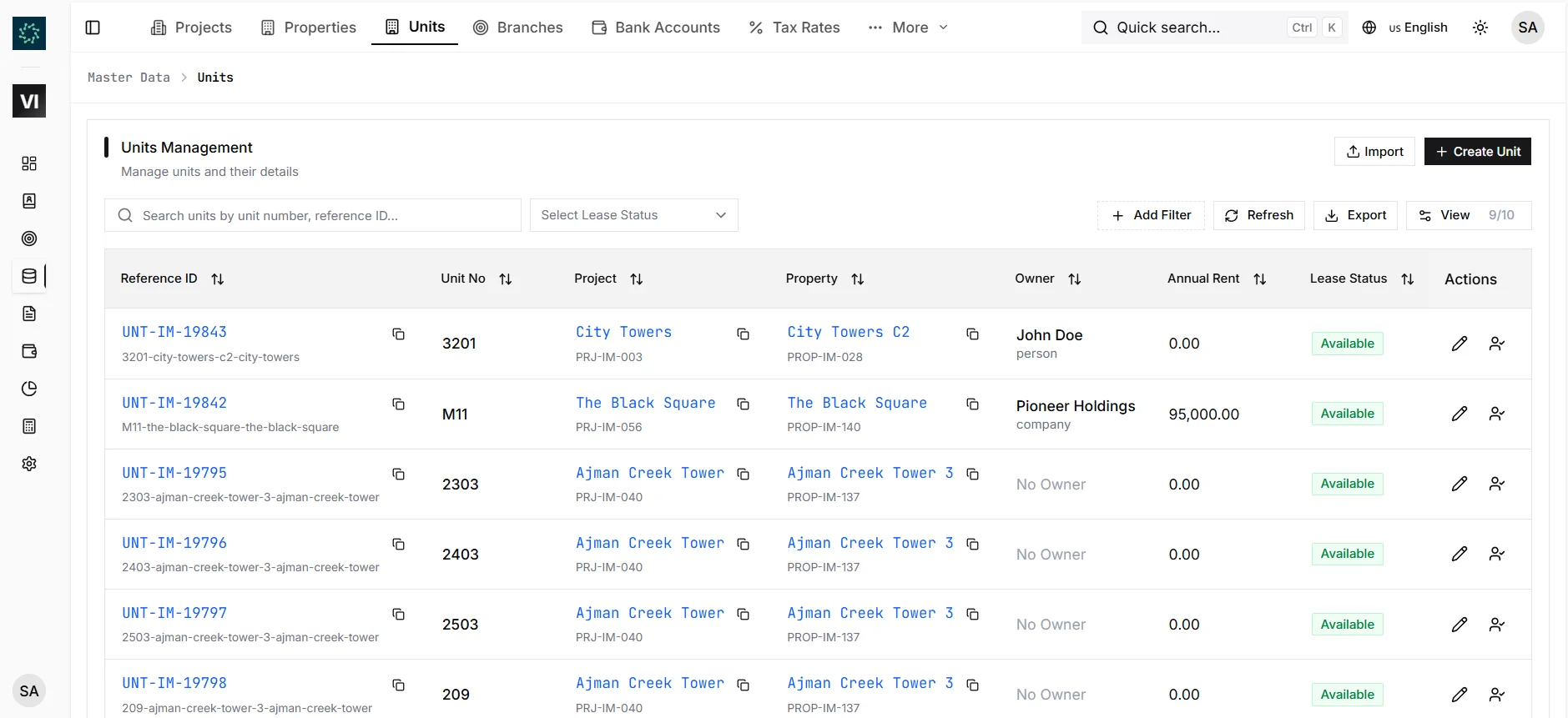
A property is a building or sub-development inside a project — Tower A, Tower B, a villa cluster, or a commercial tower. Each property stores its type, address, floors, amenities, handover date, status, and linked units.
A unit is the apartment, villa, shop, office, or other item that every deal ultimately references. Units carry project/property, unit number, type, view, floor, size, bedrooms, bathrooms, parking, asking price, owner, and current status.
Unit status controls whether it appears in offer and MOU dropdowns. Available units can be sold or leased; Reserved units are soft-held; Sold, Occupied, and Maintenance units are restricted from normal new-deal flows.
Activating an MOU or contract can move status to Reserved, Sold, or Occupied; manual edits remain audited.
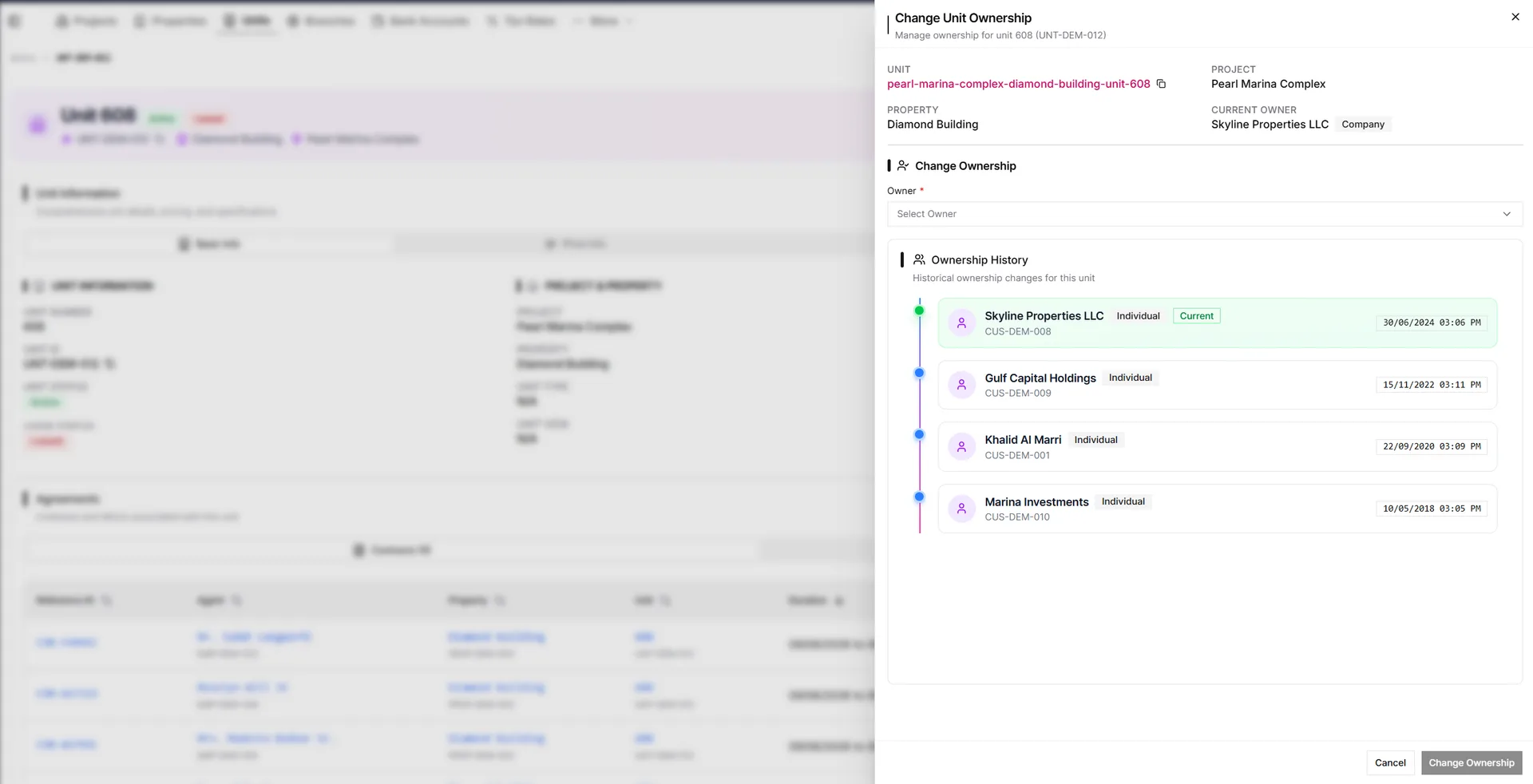
When a unit changes hands through sale, transfer, inheritance, or other ownership movement, teams use Change Ownership instead of editing the owner field directly. IRM365 records the previous owner, new owner, effective date, notes, documents, and audit trail.
As property operations software, Property Management focuses on daily availability and unit history; Projects, Properties & Units remains the broader setup/import page.
Model buildings and sub-developments under a parent project, each with address, amenities, floors, handover, and status.
Track unit number, type, view, floor, size, bedrooms, bathrooms, parking, asking price, owner, and status.
Add unit types and views from the Unit form so filters, lead preferences, and reports stay consistent.
Unit availability tracking across Available, Reserved, Sold, Occupied, and Maintenance statuses determines offer and contract availability.
Use Change Ownership to preserve previous owners, dates, notes, and supporting documents.
Lead preferences, opportunities, sales offers, MOUs, and contracts all reference the unit they touch.
IRM365 modules are connected. Explore the next capabilities that usually sit beside this feature in a real brokerage workflow.
Inventory structure, imports, and ownership setup
Learn moreCreate, renew, terminate, and settle leases
Learn moreInvoices, receipts, PDCs, and cash flow
Learn moreLog unit issues and track them to resolution
Learn moreJoin UAE real estate teams who run their entire business — leads, deals, contracts, and finance — from one platform. No annual contract.