Projects
Real estate project management CRM tools group developments, towers, communities, locations, plot numbers, developer details, handover dates, statuses, and marketing attachments.
Property inventory management software that models your inventory exactly as real estate teams work: Project → Property → Unit. Keep availability, owners, prices, views, statuses, portal references, deal history, and bulk imports connected to the leads, opportunities, offers, MOUs, leases, and reports that depend on them.
A quick map before the detailed product proof. Jump to the area that matters most.
Unit number, property, project, type, view, floor, size, price, owner, and status stay visible in one inventory register — so sales, leasing, and management stop working from separate spreadsheets.
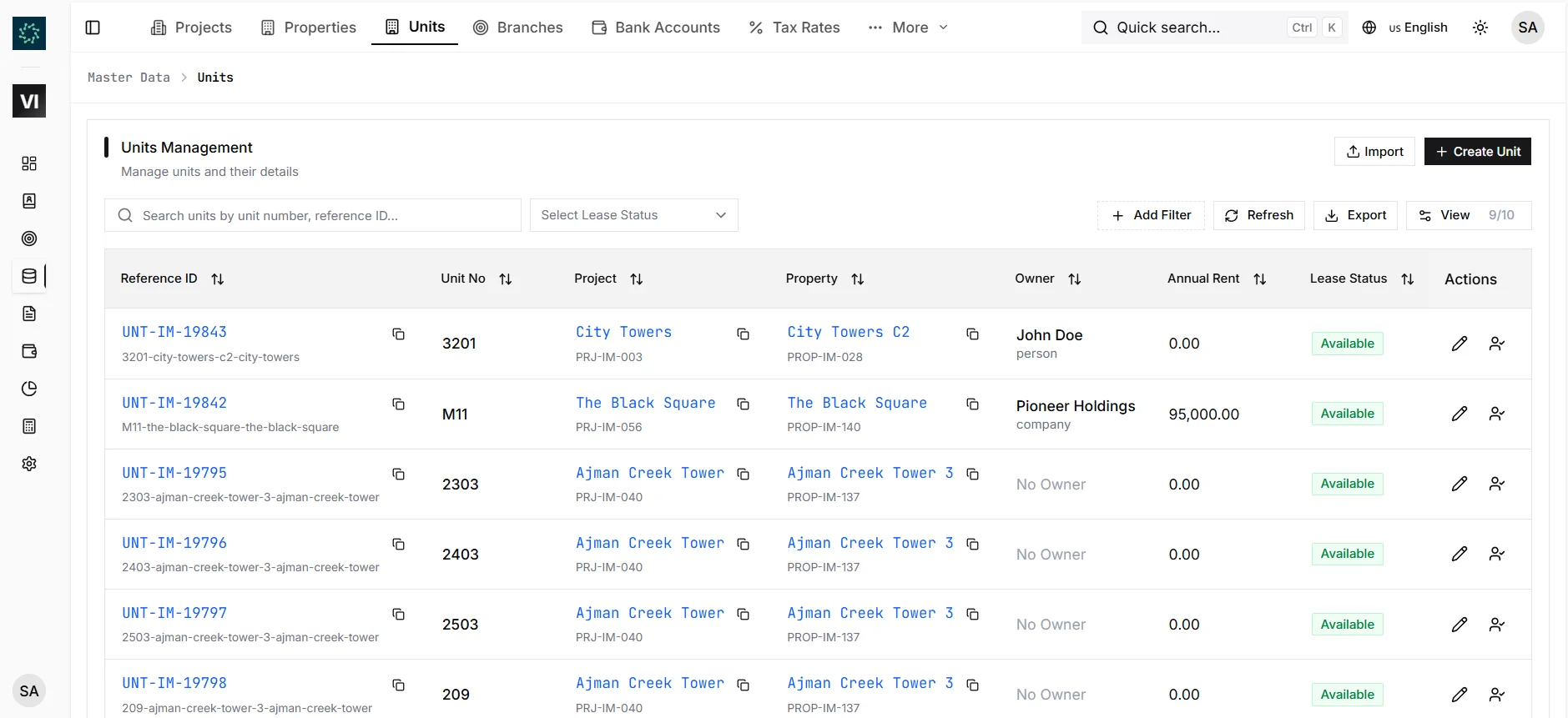
A project is the development, a property is the building or sub-development, and a unit is the exact apartment, villa, shop, or office that gets sold or leased. This hierarchy powers dropdowns, contracts, sales offers, MOUs, reports, and portal mapping across IRM365.
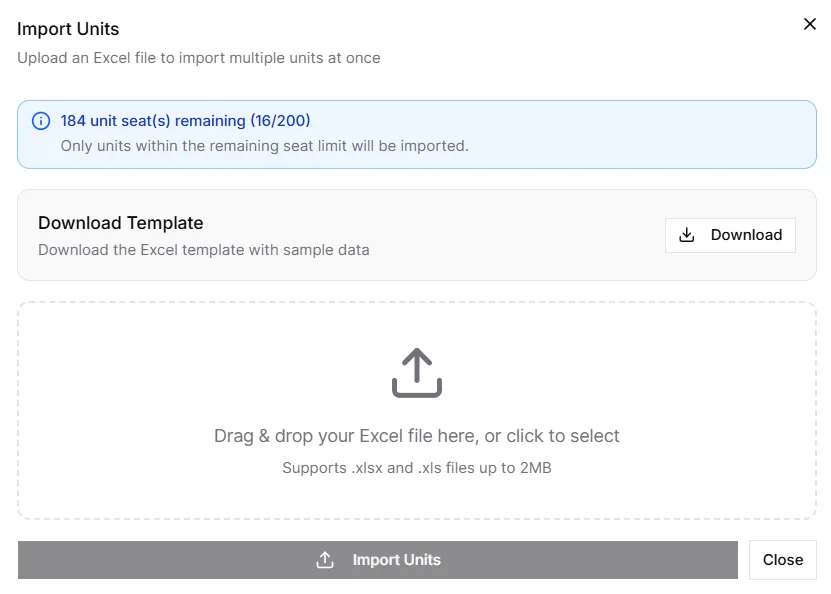
Projects, properties, and units support spreadsheet imports for migrations and bulk onboarding. Because inventory is hierarchical, IRM365 validates parent records, reference data, required columns, and duplicate unit numbers before records are created.
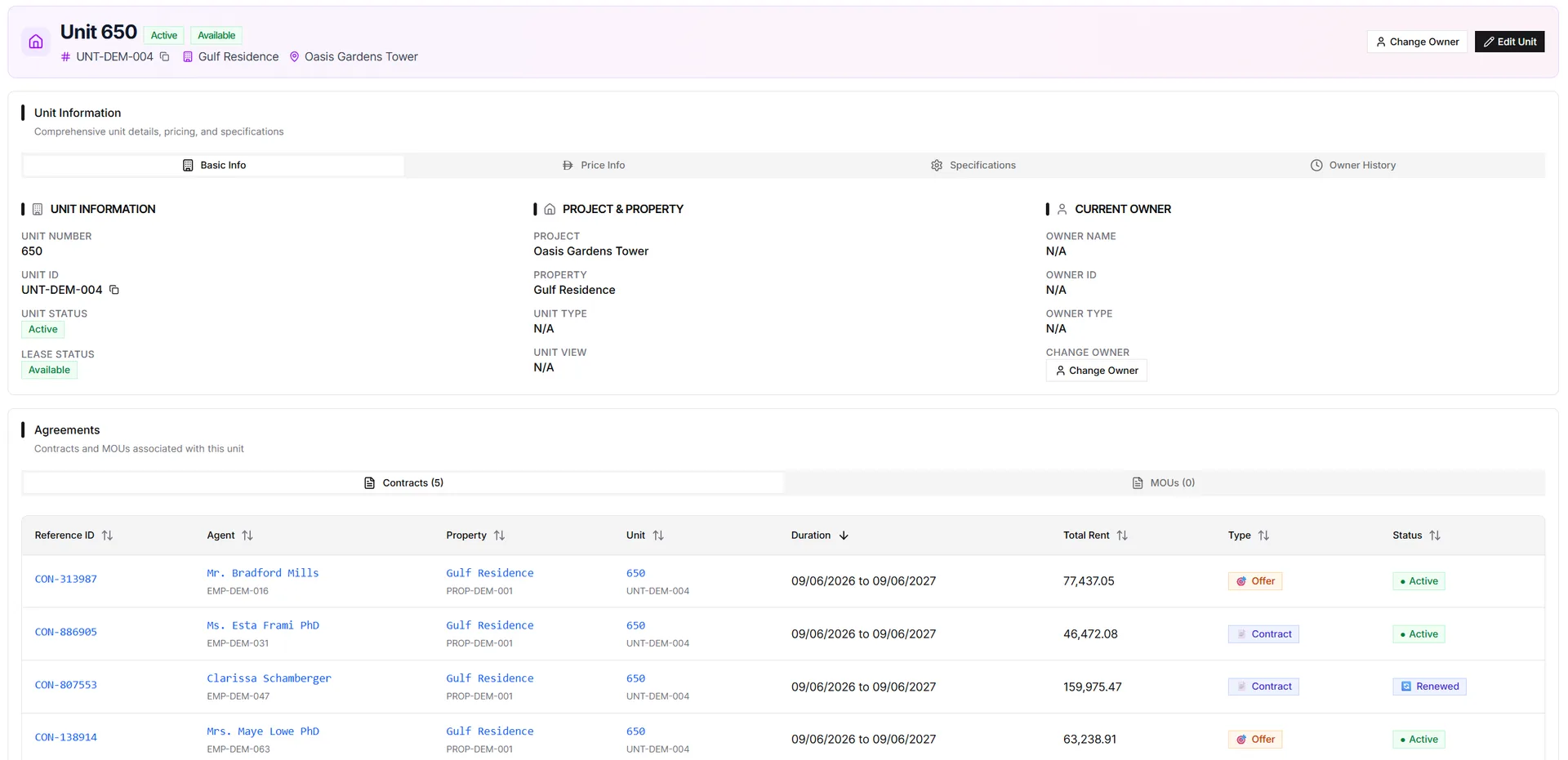
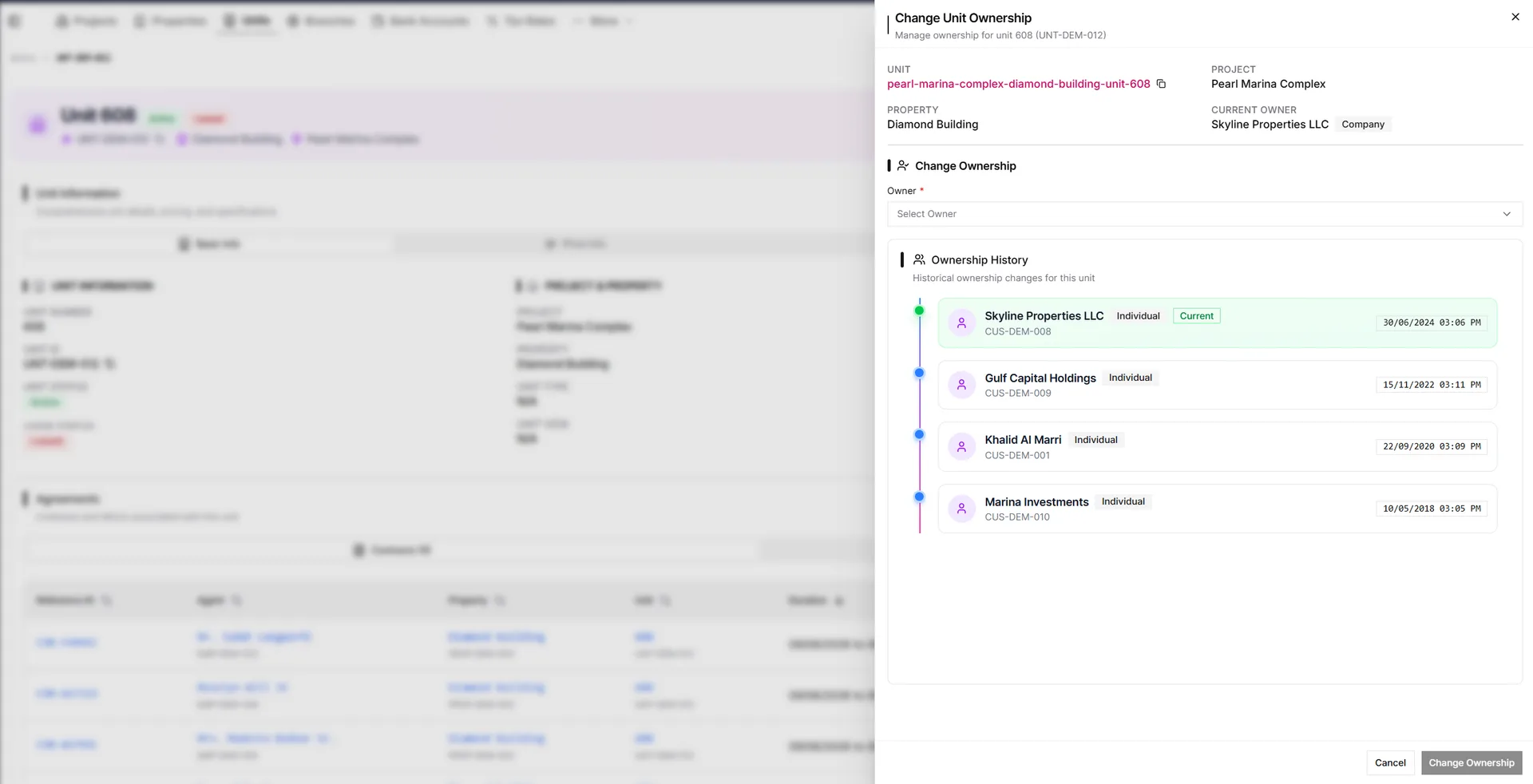
When ownership changes, teams use Change Ownership instead of overwriting the owner field. IRM365 stores previous owner, new owner, transfer date, reason, supporting documents, and audit history — while the unit detail keeps every related offer, MOU, contract, and maintenance note visible.
A live source of truth for availability, ownership, and deal context — not a static listing database.
Real estate project management CRM tools group developments, towers, communities, locations, plot numbers, developer details, handover dates, statuses, and marketing attachments.
Represent buildings or sub-developments under each project with type, floors, amenities, address, status, and units.
Unit management software tracks unit number, type, view, floor, size, bedrooms, bathrooms, parking, price, owner, and availability.
Change ownership through a dedicated action so previous owner, new owner, date, notes, documents, and audit history are preserved.
Import projects first, then properties, then units using templates with validation, duplicate checks, and row-level failure summaries.
Units connect to lead preferences, opportunities, sales offers, MOUs, lease contracts, invoices, and reports.
IRM365 modules are connected. Explore the next capabilities that usually sit beside this feature in a real brokerage workflow.
Join UAE real estate teams who run their entire business — leads, deals, contracts, and finance — from one platform. No annual contract.