

Person customers
Capture individual buyer, tenant, owner, or seller details including identity, nationality, contact, and address information.
IRM365 manages buyers, tenants, owners, sellers, and company customers with identity details, assigned ownership, optional OTP verification, attachments, activities, linked deals, contracts, and audit history.
A quick map before the detailed product proof. Jump to the area that matters most.
Teams can find people and companies by reference, name, phone, email, status, type, assigned agent, and branch — while hierarchy rules keep records visible only to the right users.
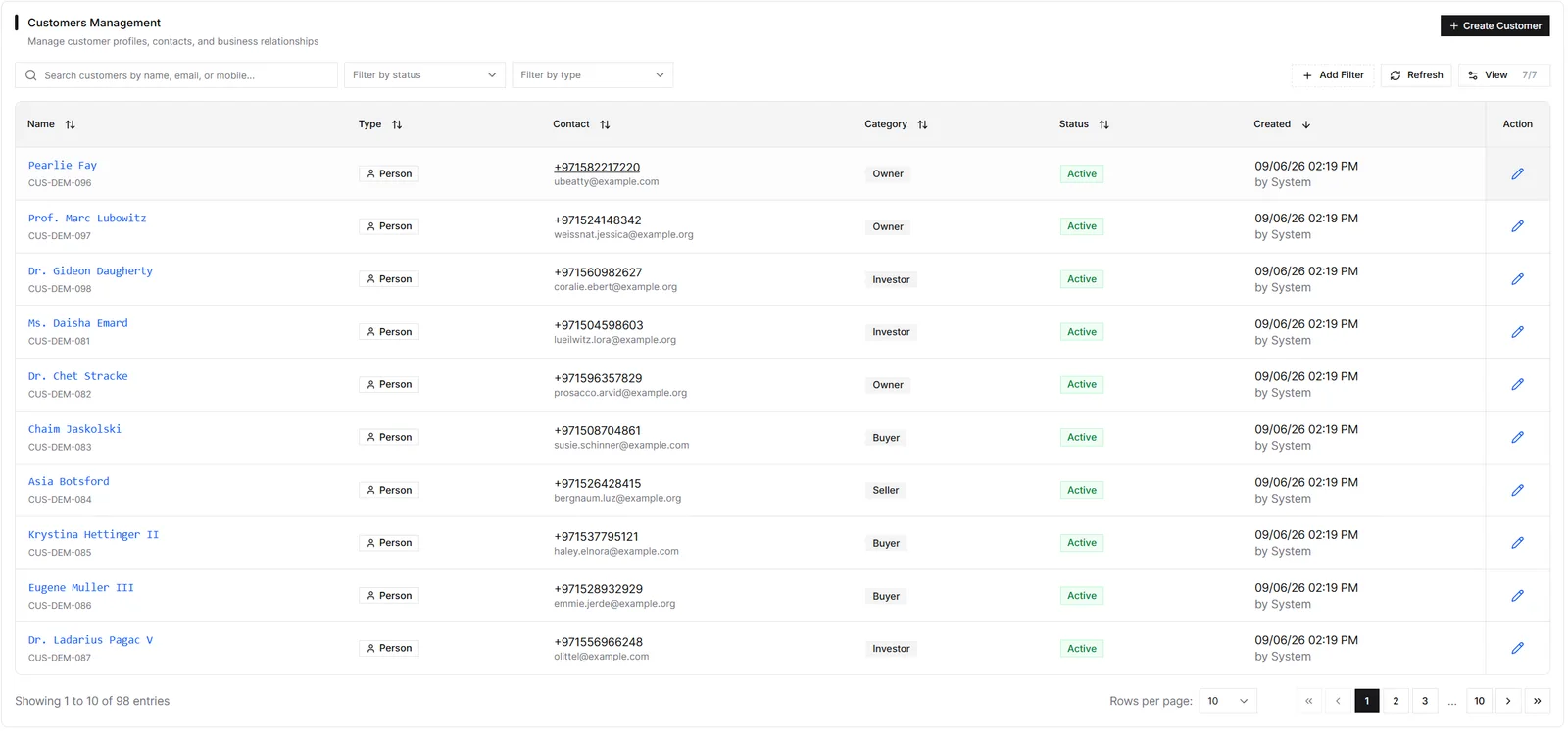
Customers are the people or companies you sign with: buyers, tenants, owners, or sellers. IRM365 supports Person and Company customer types, with the type locked at creation so legal and identity fields stay consistent through offers, MOUs, and contracts.
Individual buyer, tenant, owner, or seller with ID, nationality, contact, and address details.
Legal entity linked to an existing company record for corporate buyers, owners, or sellers.
The Customers list is searchable and filterable by the fields teams actually use in daily work: name, reference ID, phone, email, status, type, assigned agent, and branch. Users only see customers allowed by their hierarchy unless they have broader admin visibility.
Person · Assigned agent · Branch scoped
Company · Assigned agent · Branch scoped
Person · Assigned agent · Branch scoped
If customer verification is enabled in system settings, customer detail pages can send OTP codes to email and/or mobile. Super admins can verify manually when a customer has already been checked through another channel, such as passport scan or in-person review.
Email and/or mobile verification when tenant settings require it.
Super admins can also verify manually when identity was checked through another channel.
A customer detail page becomes the relationship hub: basic information, activities, leads, opportunities, sales offers, MOUs, lease contracts, attachments, and audit history stay attached to the same customer record.
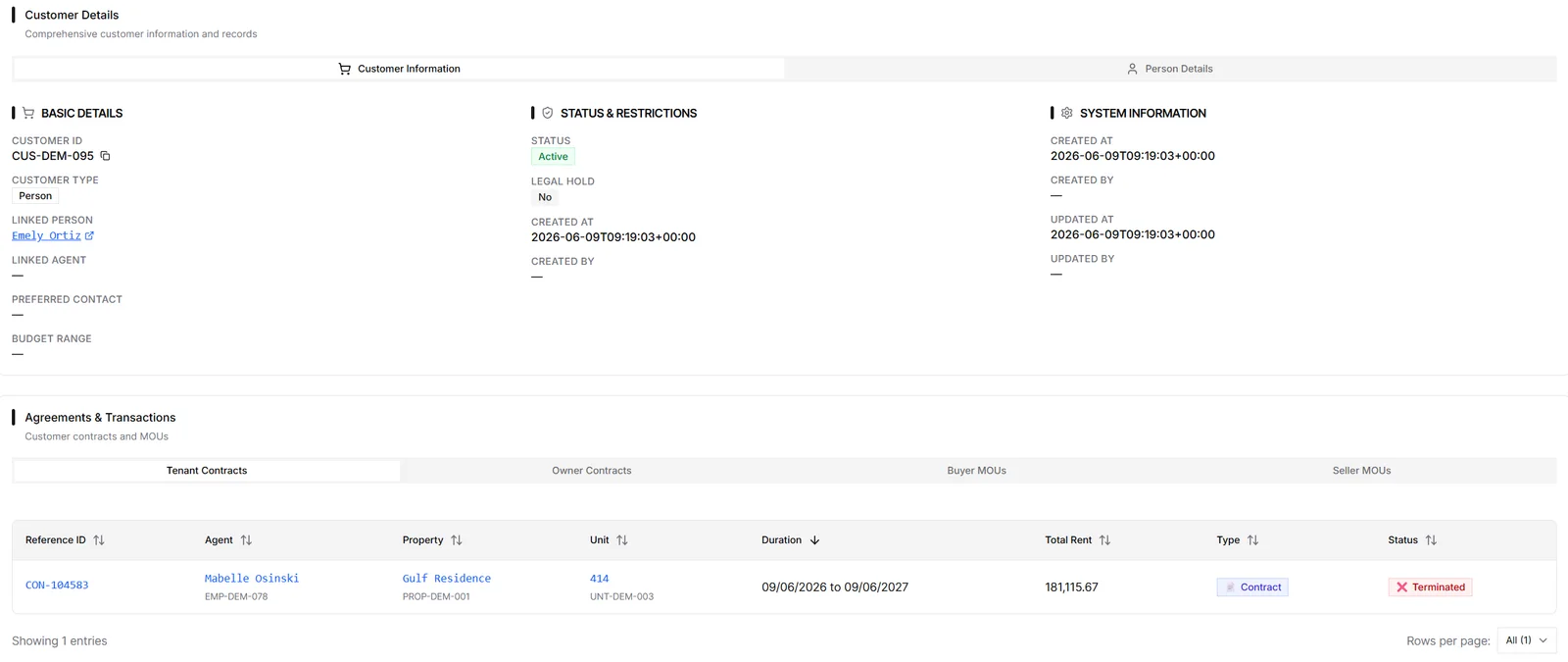
The customer module keeps legal identity, ownership, verification, relationship history, and deal context in one controlled record.
Capture individual buyer, tenant, owner, or seller details including identity, nationality, contact, and address information.
Link legal-entity customers to existing company records for corporate buyers, owners, or sellers.
Search by name, reference, phone, and email; filter by status, type, assigned agent, and branch.
When enabled, send OTP to customer email or mobile and record verification status; super admins can verify manually.
View leads, opportunities, sales offers, MOUs, and tenant/landlord contracts tied to the customer.
Store ID copies, KYC documents, signed papers, and other supporting files directly on the customer record.
IRM365 modules are connected. Explore the next capabilities that usually sit beside this feature in a real brokerage workflow.
Convert qualified leads into customers without creating duplicate relationship records.
Learn moreLog customer calls, meetings, notes, emails, and follow-ups from the relationship hub.
Learn moreDraft offers and MOUs against verified customer records.
Learn moreFind every document attached to a customer in one filterable library.
Learn moreJoin UAE real estate teams who run their entire business — leads, deals, contracts, and finance — from one platform. No annual contract.