

How to Reactivate Lost Real Estate Leads
A practical guide to reactivating lost leads, handling returning property enquiries, and preserving the history agents need for better follow-up.
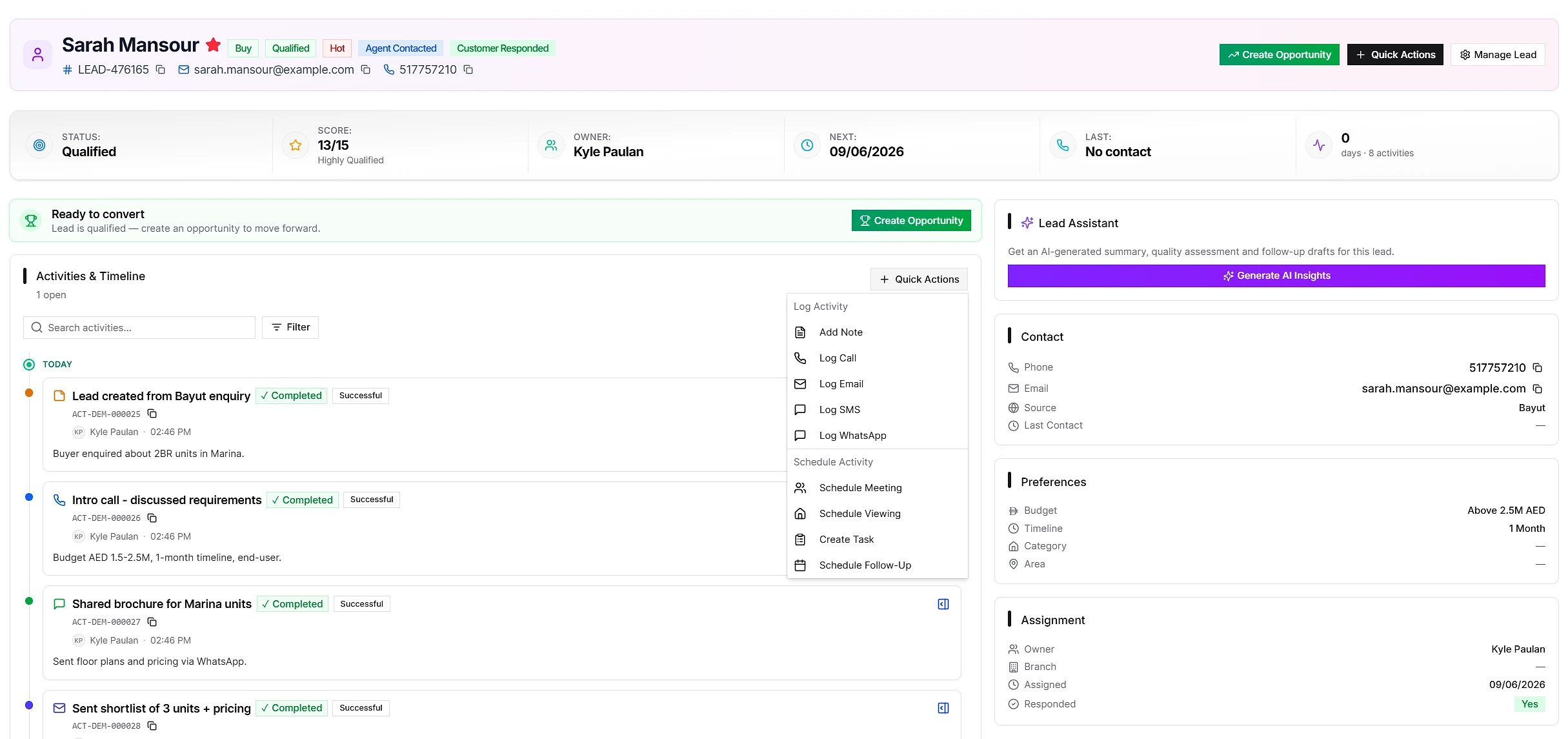
A lead marked Lost is not always gone forever.
Budgets change. Mortgages get approved. A buyer who paused in January may return in August. A tenant who was not ready to move may enquire again when the right unit appears.
The challenge is bringing that demand back into the workflow without erasing the earlier decision or creating confusing duplicate records. Good lead management needs to distinguish between three different situations:
- reactivating the same lead
- creating a new lead for a returning enquiry
- resolving a true duplicate
Treating all three as the same action damages history and ownership.
Reactivation means the original lead is active again
Use reactivation when the same lead record should return to active work.
In IRM365, a lead marked Lost, Unqualified, or Junk can be reactivated to:
- Working when an agent should pick it up now
- Nurturing when the contact has renewed interest but is not ready for immediate sales work
The user selects the target status and records a reason. That reason matters because it explains why the team is reopening a lead that was previously closed.
Examples include:
- mortgage approval received
- budget increased
- preferred area changed
- suitable inventory became available
- move date is now confirmed
- contact details were corrected
Preserve the original disqualification
Reactivation should never rewrite history.
If a lead was marked Lost because the buyer chose another property, that decision should remain visible even after the lead returns to Working. The status history needs to show:
- the status before reactivation
- the new status
- who reactivated it
- when it happened
- the reason provided
- the earlier lost or disqualification context
This protects reporting and gives the agent useful context. A revived lead is easier to handle when the agent can see why the earlier conversation ended.
Deleting the original lost reason may make the current screen look cleaner, but it removes the lesson from the record. Preserving history is the better trade-off.
A returning enquiry is not always a reactivation
Sometimes the person comes back through a new portal listing, campaign, or website form. That is a new enquiry and may concern a different property, budget, or purpose.
In that situation, the CRM should create a new lead while linking it to the earlier disqualified record.
This gives the team two accurate records:
- the earlier lead, with its original status and history
- the new lead, with its own source, campaign, property interest, owner, and follow-up
The link tells the agent that the contact has been here before without forcing two separate enquiries into one record.
This distinction is particularly important for portal leads. A buyer may enquire about an apartment, disappear for months, then return for a villa. Combining both journeys can make source attribution, preferences, and conversion reporting less reliable.
A true duplicate is different again
A duplicate is usually two records representing the same active sales conversation.
For example:
- the same contact submitted two forms on the same day
- two agents manually entered the same buyer
- a portal and spreadsheet import created overlapping active records
Duplicate lead control should flag these cases for review. A manager may merge the records, convert a genuine new enquiry, or merge and reassign ownership.
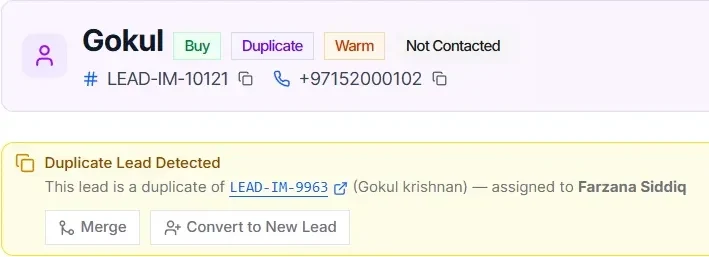
The key distinction is intent:
| Situation | Correct action |
|---|---|
| Same lead is ready to resume | Reactivate the original |
| Previously disqualified contact makes a new enquiry | Create a new linked returning lead |
| Two records represent the same active enquiry | Review as a duplicate |
Put context before the next call
Whether a lead is reactivated or returns as a new enquiry, the assigned agent should review the previous record before contacting the client.
Look for:
- the earlier reason for disqualification
- previous calls, messages, and meetings
- properties already discussed
- objections or budget constraints
- promised follow-ups
- the original owner
This prevents the awkward experience of asking the same qualification questions from the beginning.
It also creates a better opening. Instead of “How can I help?”, the agent can say, “Last time you were waiting for mortgage approval and looking around Dubai Marina. Has either requirement changed?”
Decide ownership deliberately
Returning demand creates an ownership question. Should the lead return to the original agent, follow the current assignment rules, or go to a specialist for the new property?
There is no universal answer, but there should be a consistent policy.
A practical approach is:
- reactivate with the existing owner when the original relationship is continuing
- use assignment rules for a new returning enquiry when its source or requirements justify new routing
- let a manager review conflicts where another agent has already engaged the contact
The decision should be visible in the audit trail rather than settled in a private chat.
Schedule the next action immediately
Reactivating a lead without scheduling follow-up only changes a label.
The reactivation flow should end with a clear activity:
- call today
- send updated inventory
- schedule a viewing
- request finance documents
- review again next month
Use activity tracking and the activity calendar to make that action visible to both the agent and manager.
Measure reactivation separately
Reactivated and returning leads are valuable because the agency has already invested in acquiring or qualifying them.
Useful questions include:
- How many disqualified leads were reactivated?
- Which reactivation reasons are most common?
- How many returned to Working versus Nurturing?
- How many returning enquiries became qualified?
- Which sources produce contacts who re-engage later?
These measures help a real estate agency understand whether its old database contains recoverable demand rather than treating every closed lead as permanently lost.
The bottom line
Reactivation is not deleting a Lost label. It is reopening the original lead with a reason while preserving the decision that came before.
A returning enquiry is different: it deserves a new record linked to the earlier journey. A true duplicate is different again and needs controlled review.
IRM365 separates these workflows so agents regain useful demand without sacrificing source attribution, ownership, status history, or the context needed for a better follow-up.
The IRM365 team at VoxaSoft builds real estate CRM software for UAE agencies, brokerages, and property developers. We write about lead management, sales pipelines, finance, and UAE property operations from the workflows we ship into the product every release.
More about IRM365 →Want this workflow inside your agency?
See how IRM365 handles lead capture, activities, agreements, lease operations, finance, and reporting in one workspace.