

How to Find Stalled and At-Risk Real Estate Deals
Learn how stage age, overdue follow-ups, missing next actions, and weighted pipeline metrics reveal real estate deals that need attention.
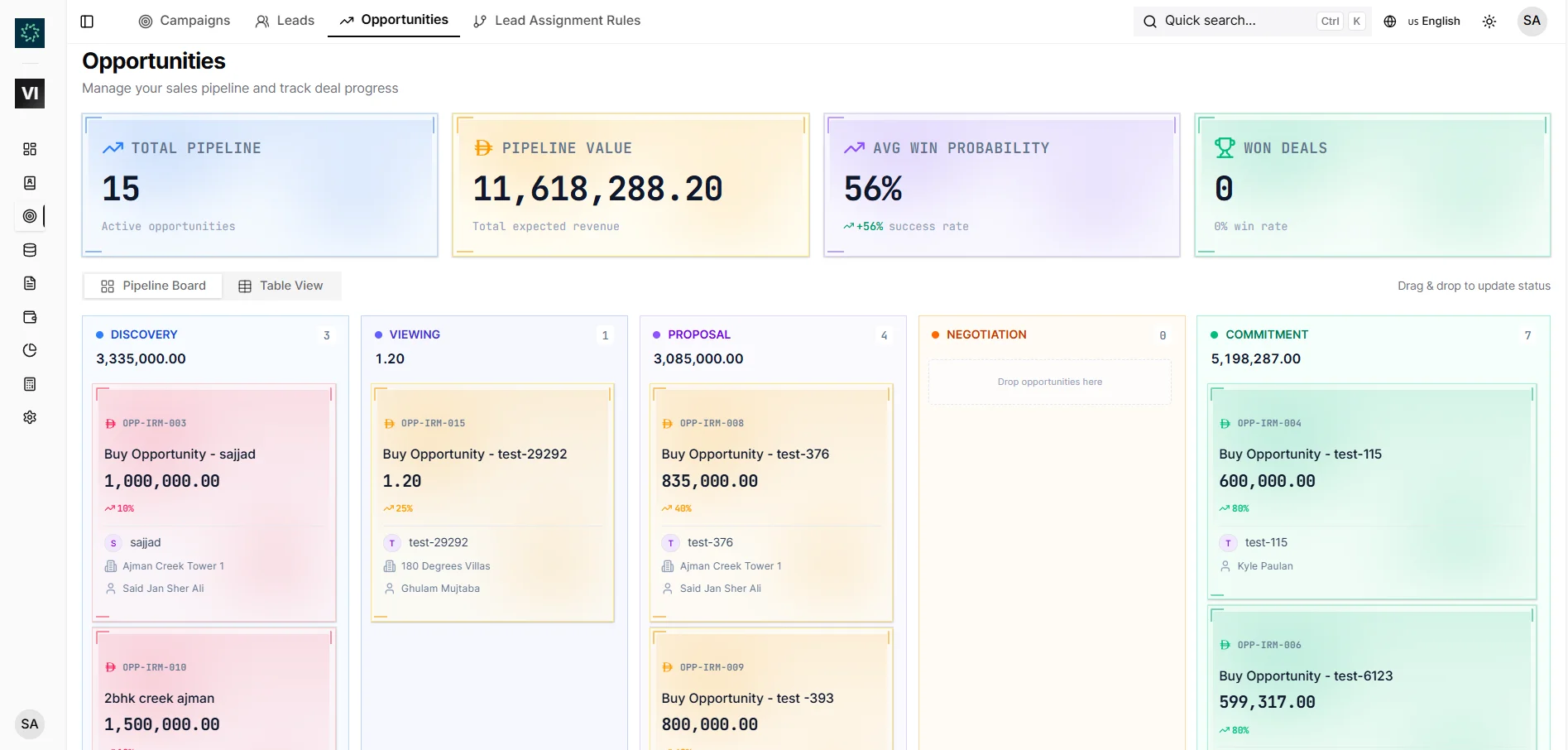
A full pipeline can look healthy while quietly losing momentum.
The problem is that deal value and deal movement are not the same thing. A large opportunity may still sit in Viewing for months with no appointment booked, while a smaller deal moves steadily toward an accepted offer.
To manage the difference, a brokerage needs a deal pipeline that shows not only where each opportunity sits, but how long it has been there and whether anyone knows the next step.
Start with the stage clock
Every active opportunity should carry a stage age: the number of days it has spent in its current stage.
That clock creates context a stage name cannot provide. Two deals can both be in Negotiation, but one moved there yesterday while the other has not changed for three months. Without stage age, they look equal. Operationally, they are not.
IRM365 surfaces stage age on opportunity cards and rows, with two clear signals:
- Aging: 60 or more days in the current stage
- Stalled: 90 or more days in the current stage
These thresholds do not automatically mean a deal is dead. Complex transactions can take time. They mean the opportunity deserves a deliberate review.
Define “needs attention” with observable signals
Managers often label deals as risky based on instinct. Experience matters, but the review becomes more consistent when risk starts with visible operational signals.
IRM365 flags an opportunity as Needs attention (previously called At Risk) when it is:
- past its close date
- stalled
- missing a next step
Each signal points to a different failure mode.
Past its close date
The expected close date has passed and the deal is still open. Either the date was optimistic or the deal has slipped, and the immediate question is whether to chase the blocker or move the date. IRM365 labels the close date on each deal card, such as “Close 12/10 · 16 days late”, so a late close date is not mistaken for a late follow-up.
Stalled
The opportunity has remained in one stage long enough to require explanation. The issue may be price, finance, property availability, decision-maker access, or simply weak follow-up.
No next step
The opportunity may still look active, but nobody has defined what happens next. This is often the most preventable risk because it can be fixed immediately by scheduling the correct activity.
Use presets to separate operating questions
A single pipeline view becomes noisy when active, won, lost, and cancelled deals all compete for attention.
Quick presets make each review more purposeful:
- Active: the current working pipeline
- Closing Soon: deals approaching their expected close date
- Needs attention: past-close-date, stalled, or missing-next-step opportunities
- Won: completed successes
- Lost: opportunities closed with a lost reason
- Cancelled: cancelled deals that still need to remain findable
These are not separate databases. They are operational lenses over the same opportunity records.
Read value and risk together
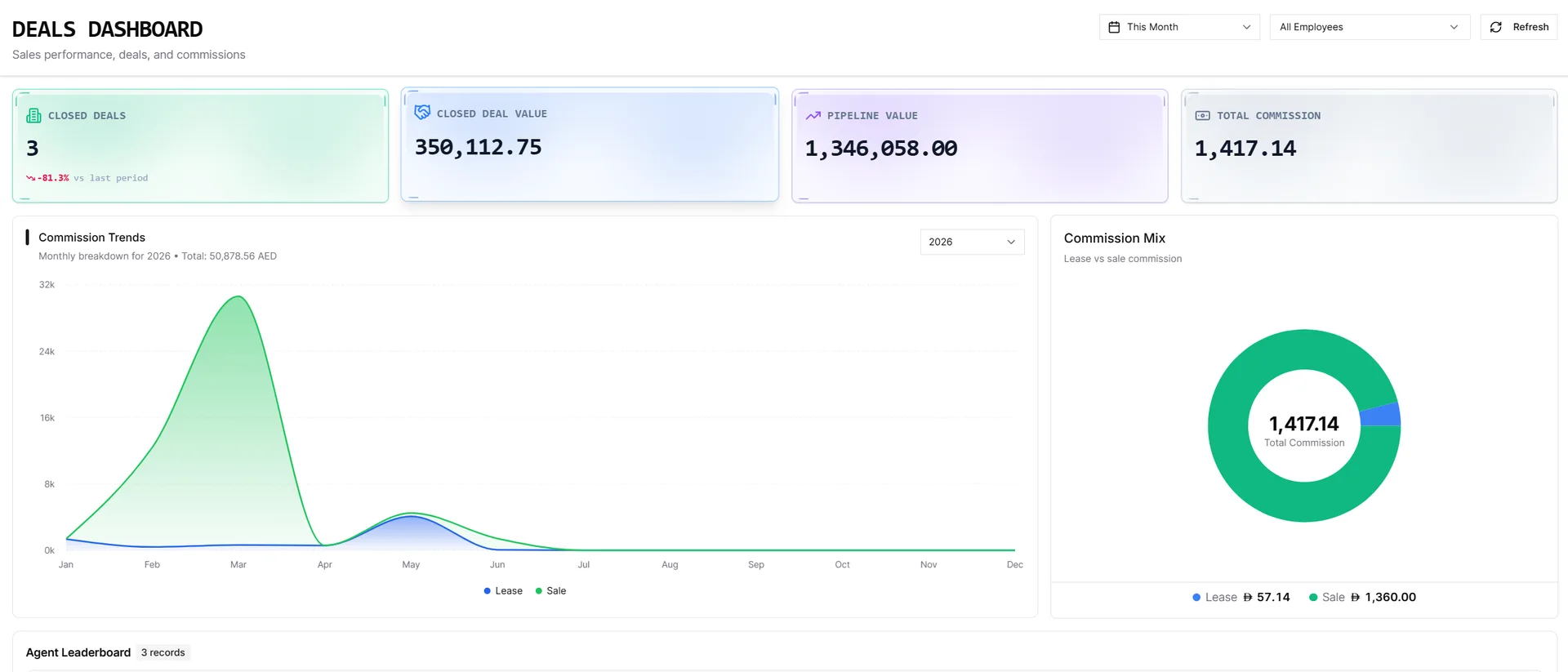
Deal count alone does not describe pipeline health. A manager should review at least five figures together:
- Active pipeline: the total value of open opportunities
- Weighted forecast: value adjusted by stage probability
- Closing this month: opportunities expected to close in the current month
- Needs attention: deals carrying one or more of those signals, broken down by reason
- Won: value already secured
The important UX detail is drill-down. Selecting a metric should open the opportunities behind it, not leave the manager staring at an isolated number.
Do not confuse weighted forecast with a promise
A weighted forecast estimates likely value by applying stage probability. It helps compare an early pipeline with a near-close pipeline, but it cannot replace judgement.
For example, a large opportunity in Commitment may contribute heavily to the forecast. If it is also past its close date with no next action, the stage probability alone can make the outlook look stronger than the operating reality.
That is why weighted value and Needs attention need to appear together. One estimates the potential outcome; the other tests whether the work is still moving.
For teams working from spreadsheets, this connection is usually missing. Stage, value, next action, and follow-up history live in separate columns—or separate files entirely.
Review the pipeline in a fixed order
A weekly pipeline meeting becomes more useful when every manager follows the same sequence.
1. Open Needs attention first
Start with exceptions, not the cleanest deals. Review deals past their close date, stalled stage clocks, and missing next actions.
2. Review Closing Soon
For each opportunity expected to close this month, confirm:
- the latest client interaction
- the next scheduled action
- the current unit and price
- whether an offer is needed
- whether the expected close date is still realistic
3. Review stage movement
Look for stages accumulating too many opportunities or too many aged deals. A concentration in Viewing may indicate weak follow-up after appointments; a concentration in Proposal may indicate pricing or approval delays.
4. Validate the forecast
Compare active value with weighted value and ask whether the highest-value opportunities have recent activity and clear next steps.
5. Close the loop
Every reviewed deal should leave the meeting with an owner and a next action. Discussion without a scheduled follow-up does not change the pipeline.
Keep large boards usable
A growing brokerage may have hundreds of active opportunities. Loading every card at once makes a Kanban board slow and difficult to scan.
IRM365 loads each stage a page at a time with a Load more action. The stage header still shows the true count and value for the full column, not only the cards currently visible.
This preserves two things at once:
- a usable board for daily work
- accurate totals for management review
When a deal moves to another stage, it appears at the top of the destination column immediately, making the change visible without a full refresh.
Connect risk back to activity
Pipeline risk is usually a symptom of missing or ineffective activity. The opportunity record should therefore keep calls, meetings, viewings, notes, offers, and status changes together.
Managers can then distinguish between:
- a deal with active negotiation that legitimately needs time
- a deal with repeated outreach but no client response
- a deal with no meaningful activity at all
That context prevents stage-age rules from becoming blunt automation.
The bottom line
At-risk pipeline management is not about predicting every failed deal. It is about finding the opportunities where the team can still intervene.
Stage clocks, aging and stalled signals, overdue work, missing next actions, operational metrics, and focused presets give a real estate agency a repeatable way to protect its pipeline.
IRM365 connects those signals directly to each opportunity’s activities, unit, owner, value, sales offers, and history—so the pipeline meeting ends with actions rather than opinions.
The IRM365 team at VoxaSoft builds real estate CRM software for UAE agencies, brokerages, and property developers. We write about lead management, sales pipelines, finance, and UAE property operations from the workflows we ship into the product every release.
More about IRM365 →Want this workflow inside your agency?
See how IRM365 handles lead capture, activities, agreements, lease operations, finance, and reporting in one workspace.